PlayStation 5 UI
Home entertainment systems are consumer products specifically built to offer video games and relevant services, yes — but the way to do that is extremely important to the overall experience of using them, day in and day out, for a very long time.
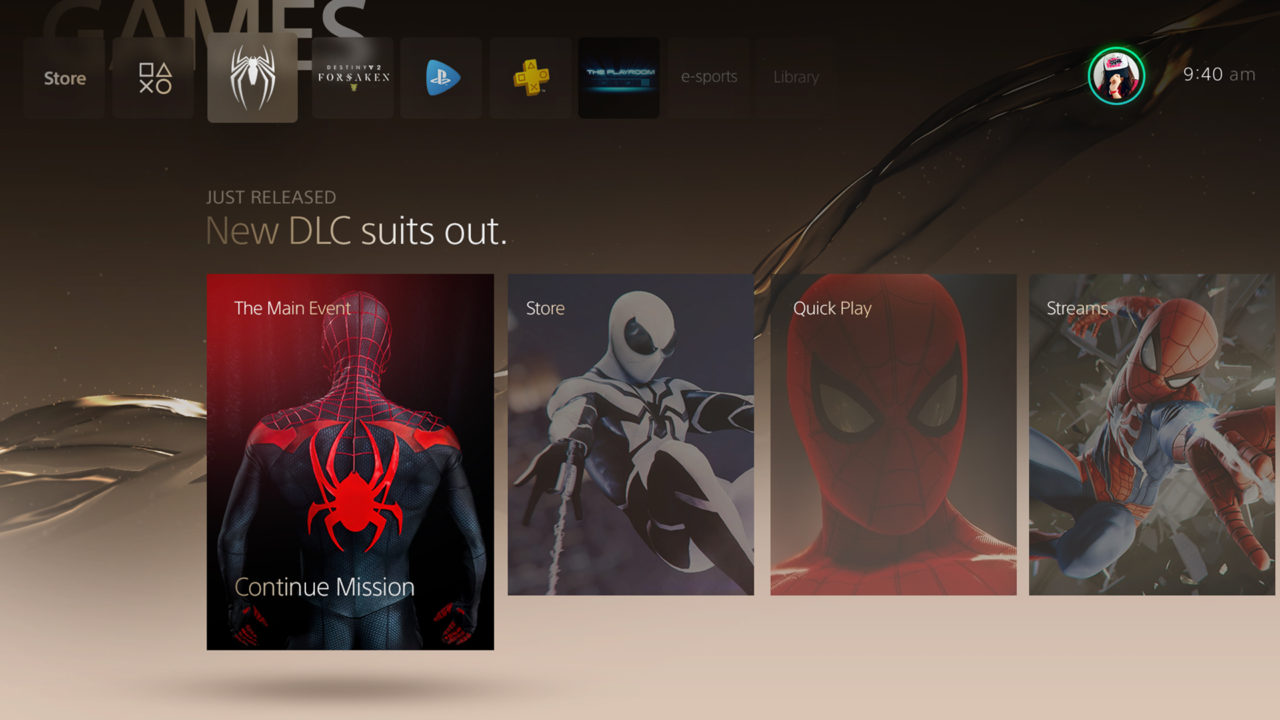
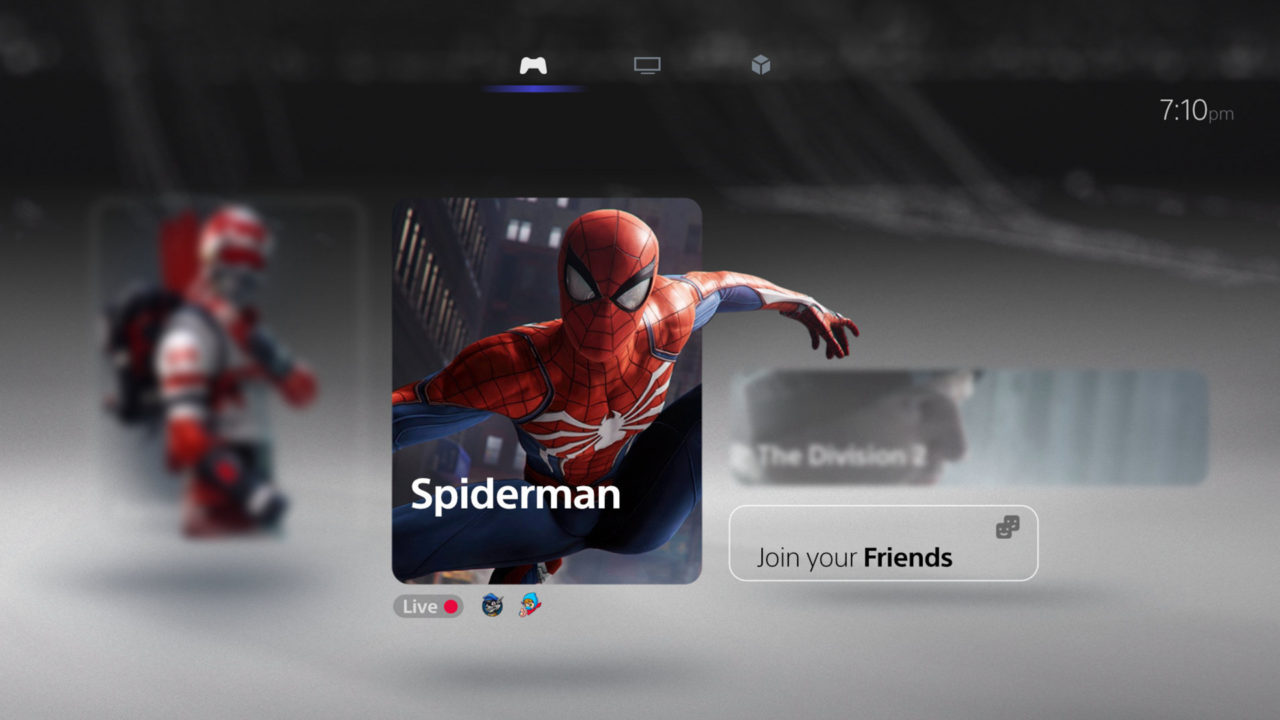
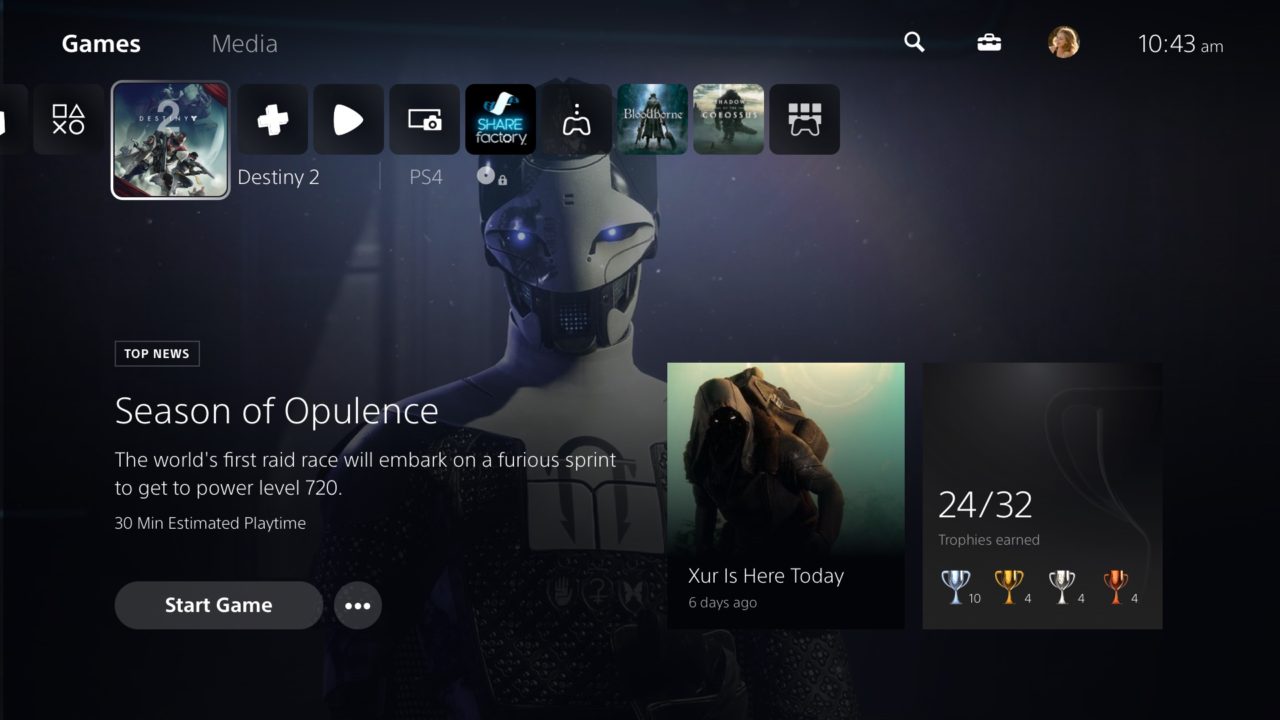
Aesthetically the new user interface Sony offers for the PS5 is absolutely beautiful. It is presented in native 4K resolution and HDR color reproduction by default. The PS5 UI takes up minimal screen estate while remaining perfectly visible and easily selectable. Whenever “big” graphics are used they are usually decorative backgrounds that appear and disappear smoothly with subtle transitions.
Functionally speaking, in true Japanese style the design team went for a minimalistic look overall, taking away any and all elements that do not need to be in front of the user’s eyes at any given time: that way the actions and/or options that are relevant and meaningful are accessible in an easier and faster manner.
The whole philosophy behind the design of the PS5 user interface was to favor usability, minimalism, and opulence. Below you can read more about the problem we needed to solve, the challenges we encountered and the solution we came up with, and my role within the team.
Services
10 FT UI DESIGN
VISUAL DESIGN
INTERACTION DESIGN
VIDEO PRODUCTION
Role: Lead Product Designer
Agency: Sony Interactive Entertainment Inc
Year: 2019-2020
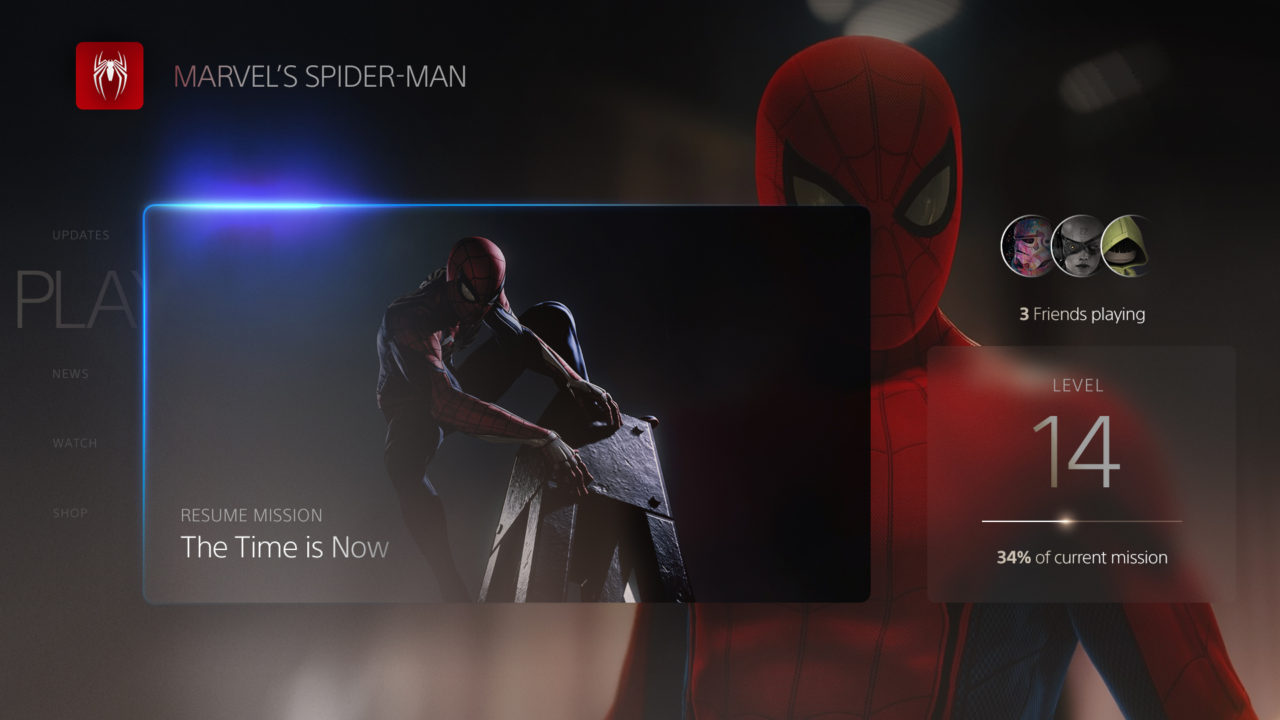
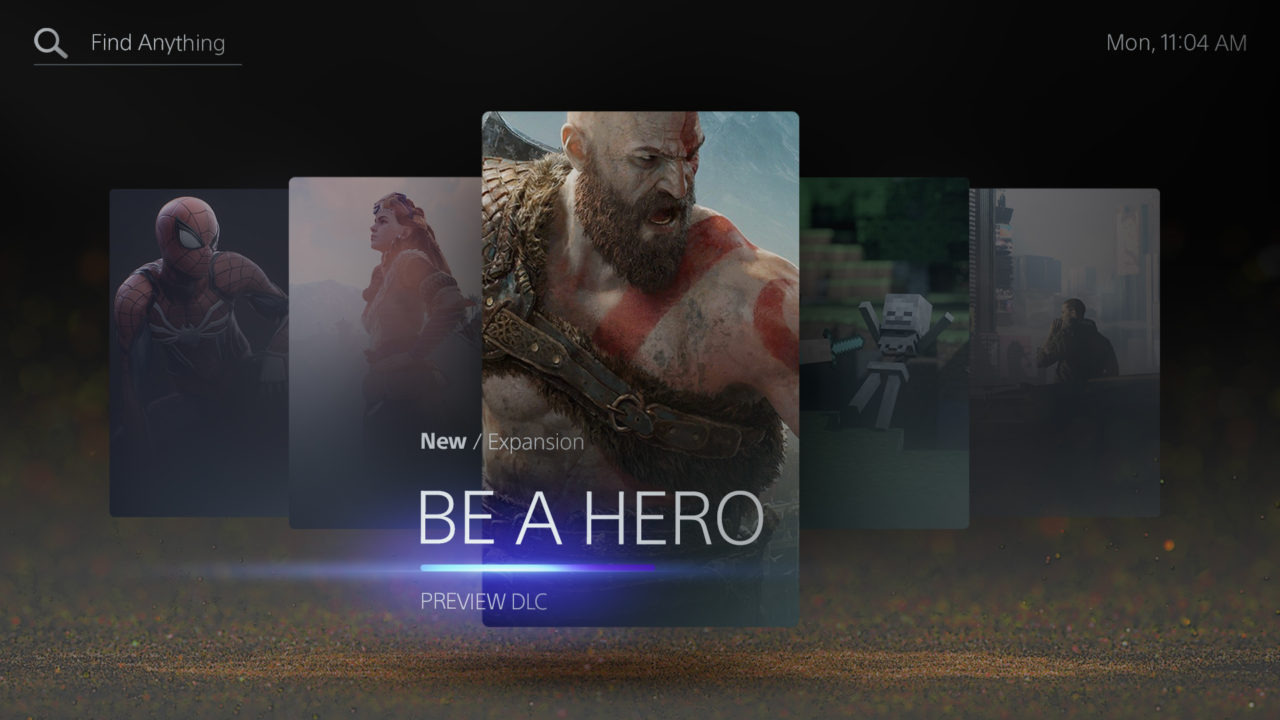
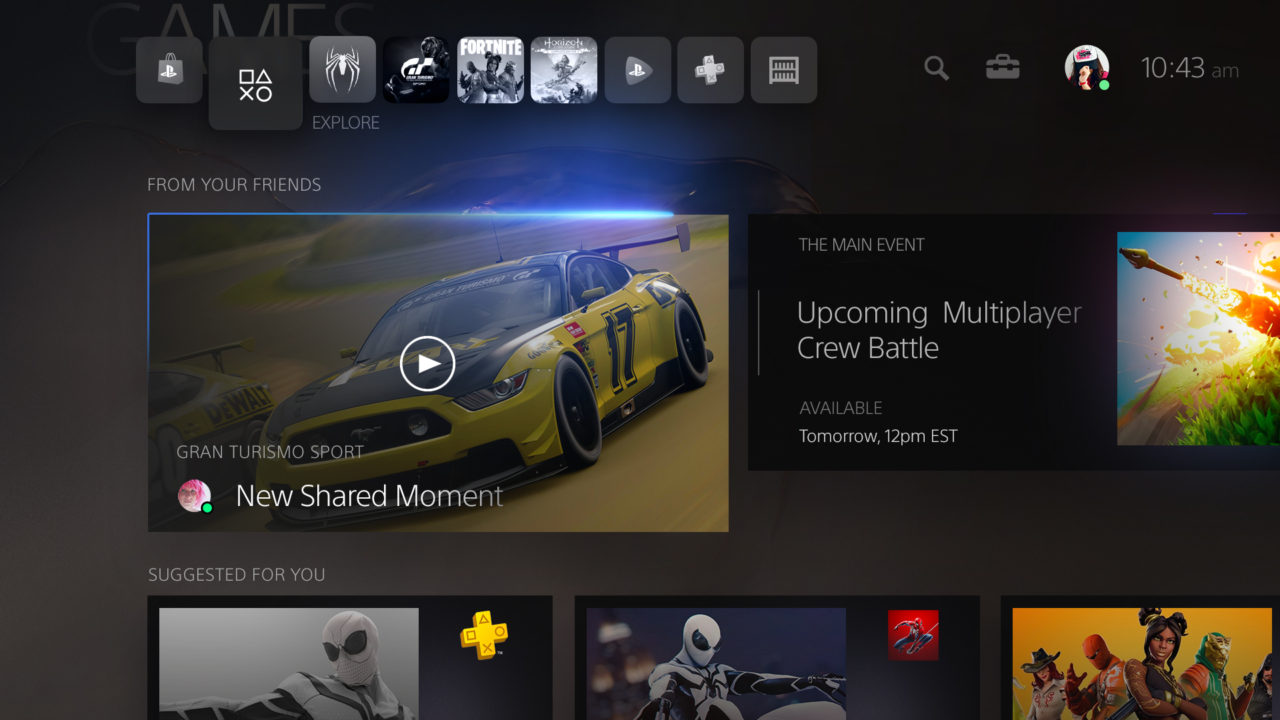
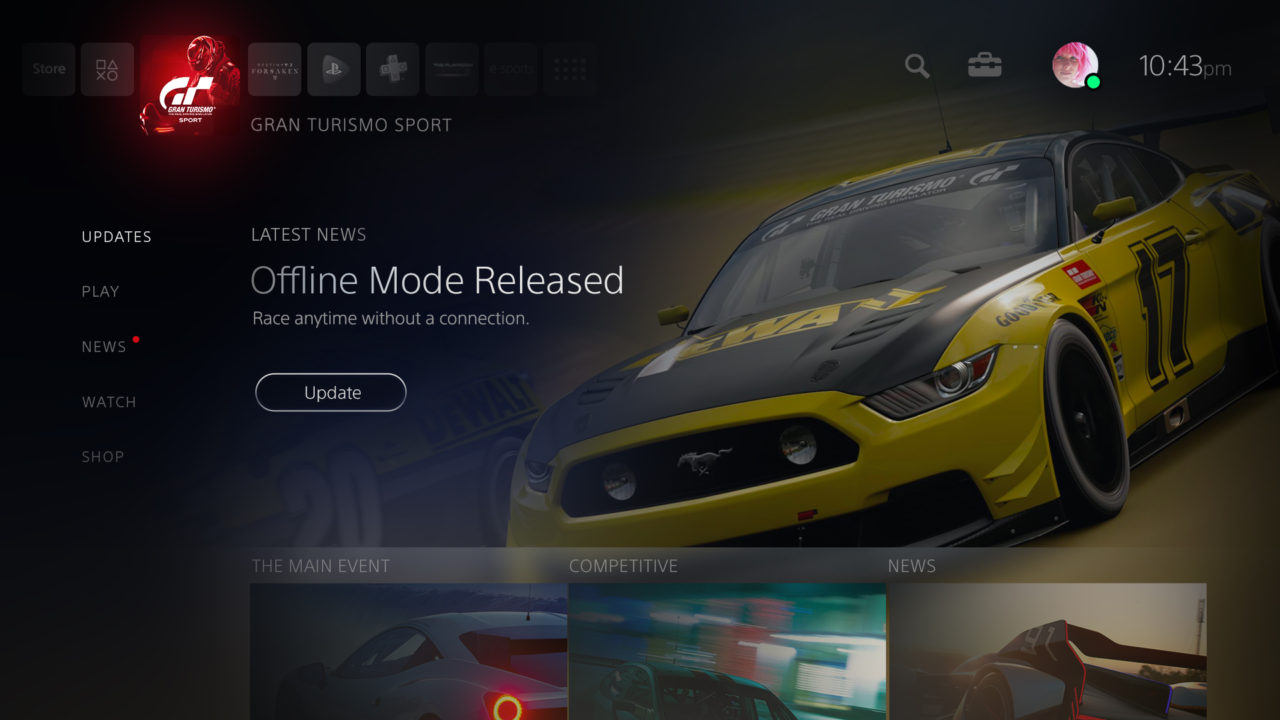
The way we play is changing, players are expecting more. 100+ weekly gameplay hours is the new norm. Larger concurrent multiplayer game experiences are appearing. Gamers are engaging outside of PlayStation to learn about the gaming universe. 73% of gamers want to stay updated on gaming news, trends and always be ready to play and have access to their game progress.
The Problem
We want PlayStation to be more than a way to launch games. We want to connect players with their gaming experience and empower all activities that enhance the player experience.
How do we connect players to their games and the universe of content that surrounds them?
How do we provide guided discovery, research, purchase, and onboarding?
How do we empower play and player engagement?
How do we offer a unique personalized experience from awareness to mastery?
How do we offer a unified expression of PlayStation’s brand throughout the user interface ecosystem across mobile, web, and console?
The Challenge
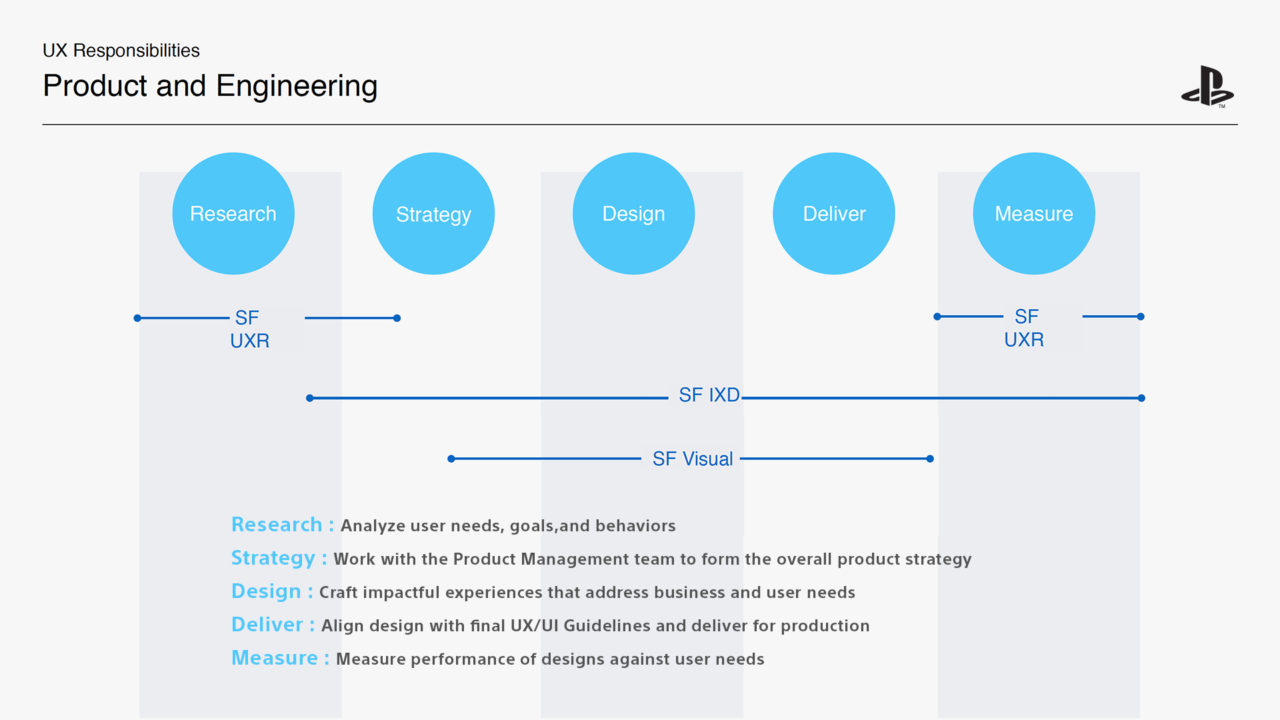
What we needed to build internally to ensure we deliver a product that is designed with the end-to-end experience in mind.In order to do this we needed to understand the following :
We needed to understand how the user feels, thinks, does, says, and motivates him.
We needed to create a holistic design approach across all teams to approach content strategy, tone of voice, taxonomy, universal information architecture, journey-scenarios, new features, visual language, design system, and console to mobile web experiences.
We needed to figure out what are the various user-centered methodologies and approaches we should use?
When do these efforts need to be completed and how do they come together?
What internal tools, processes, and new features do we need to build?
The Solution
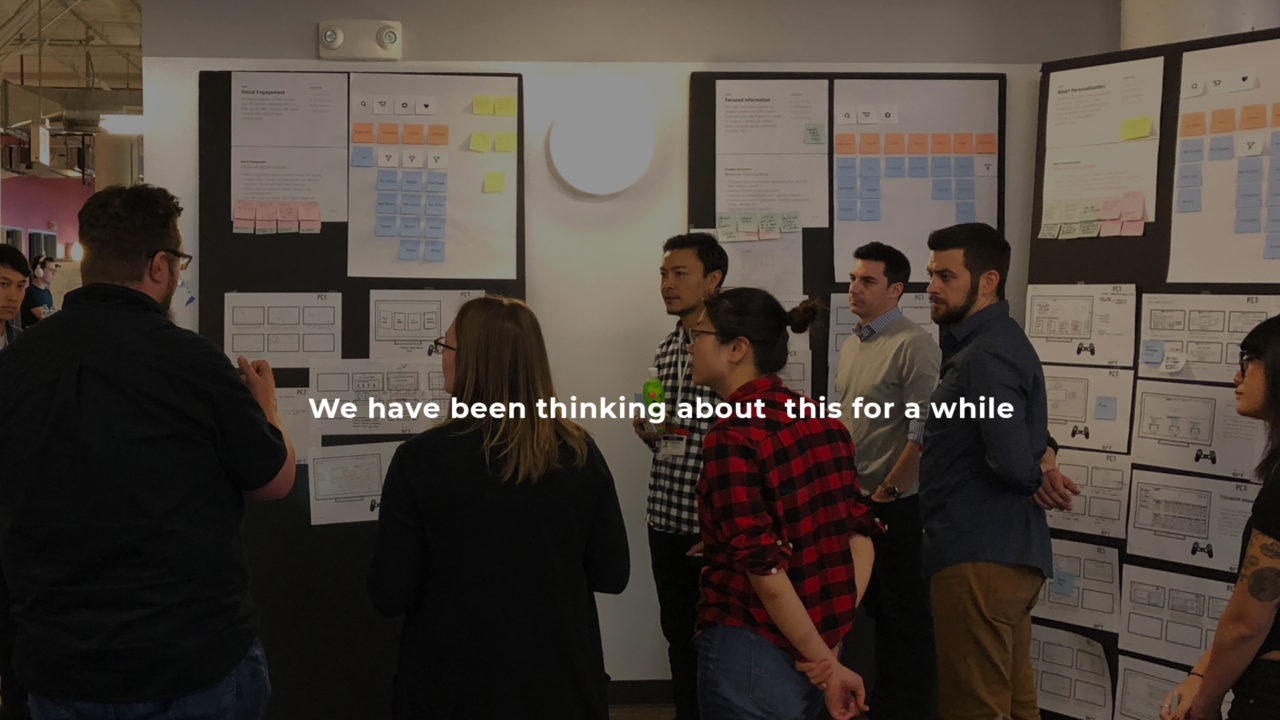
Design Thinking
The journey of any digital product development lifecycle starts from understanding the user’s needs, expectations, and pain points ideating on a solution that will address these needs, and hopefully, the user will have an amazing experience with the product.
The PS UXR team having previous experience and a collection of data and a wealth of insights gave us a competitive advantage of what were the existing problems.
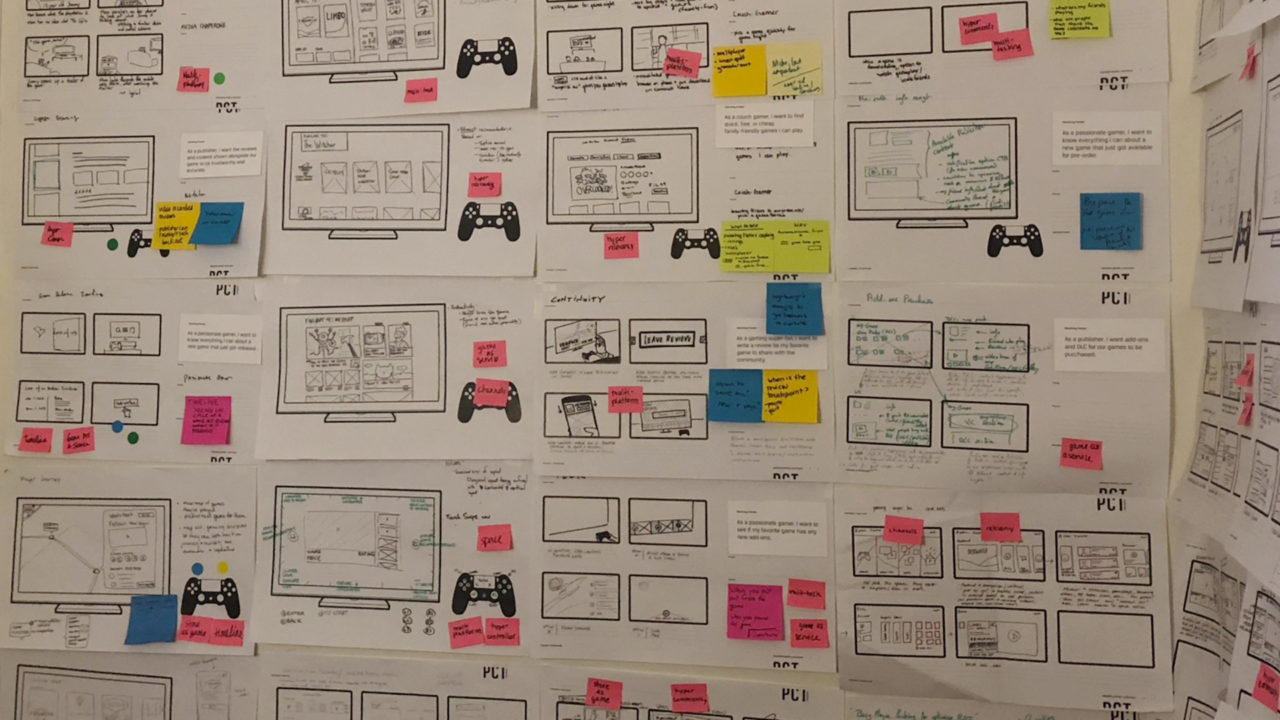
To design user-centric experiences, understanding users is critical. One of the most important stages of user research is creating personas and user journeys, case scenarios that enable design and development teams to chart out users motivation and pain points and create successful pathways from any point the user is in within the application.
The core mission of the entire UX/UI team was to leave no stone unturned and explore every aspect of the new re-design user interface we embarked upon.
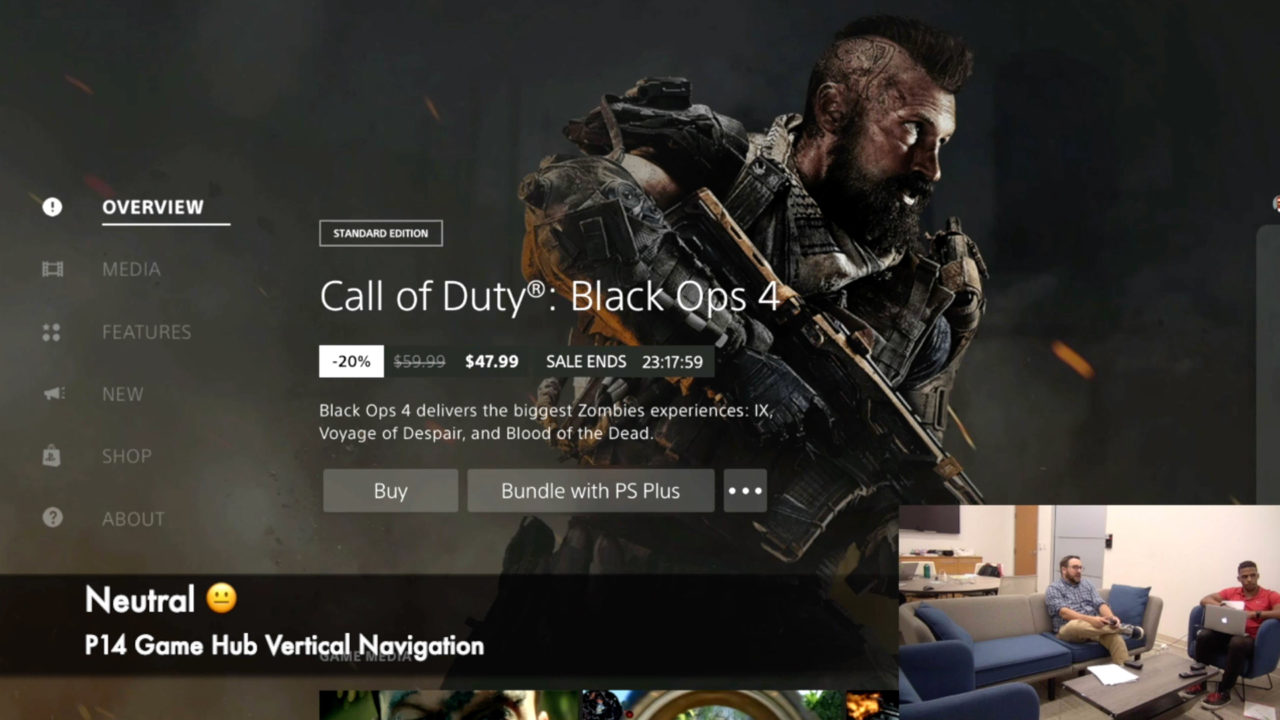
A few UX methods the team implemented during the foundation, design research stage to collect quantitative and qualitative data insights are the following:
Usability-Lab Studies, Focus Groups, Interviews, Usability Benchmarking, Card Sorting, Clickstream Analysis, A/B Testing, True-Intent Studies, Surveys.
Design System
To enable design & engineering to create a cohesive eco-system without impacting creativity or velocity. We created an internal Design System.
Common ways to express the foundations and building blocks to ensure we create a fluid, frictionless, and cohesive user experience across all touchpoints.
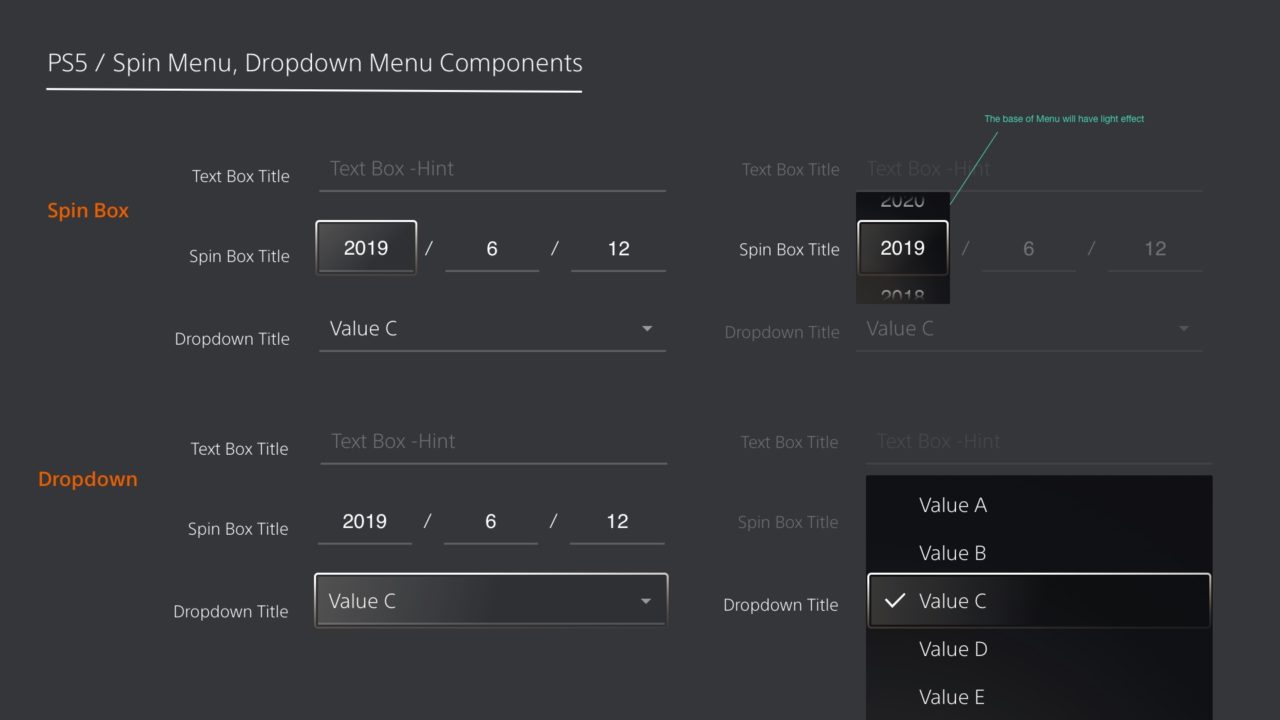
A library of common elements used across the eco-system. Also included common groupings of elements (“components”), collections of components (“layouts”). Each section included design and code documentation, specifications, and correct usage guidelines, acknowledging how the experience should be sympathetic to the affordances & constraints of devices and platforms supported within the ecosystem.
Everything required by design and engineering teams to get set up and work independently from one another whilst ensuring their output remains cohesive.
The Solution ( Continued)
New Engagement Experiences | Discovery + Digital Retail + Player Engagement
We created Discovery Hub ( Awareness)
Provide users a way to easily find new content they may not know but could be interested in based on their profile and behavior (1st touch content awareness focus from first content public unveil)
Game Store + Game Hubs + Service Hubs ( Research )
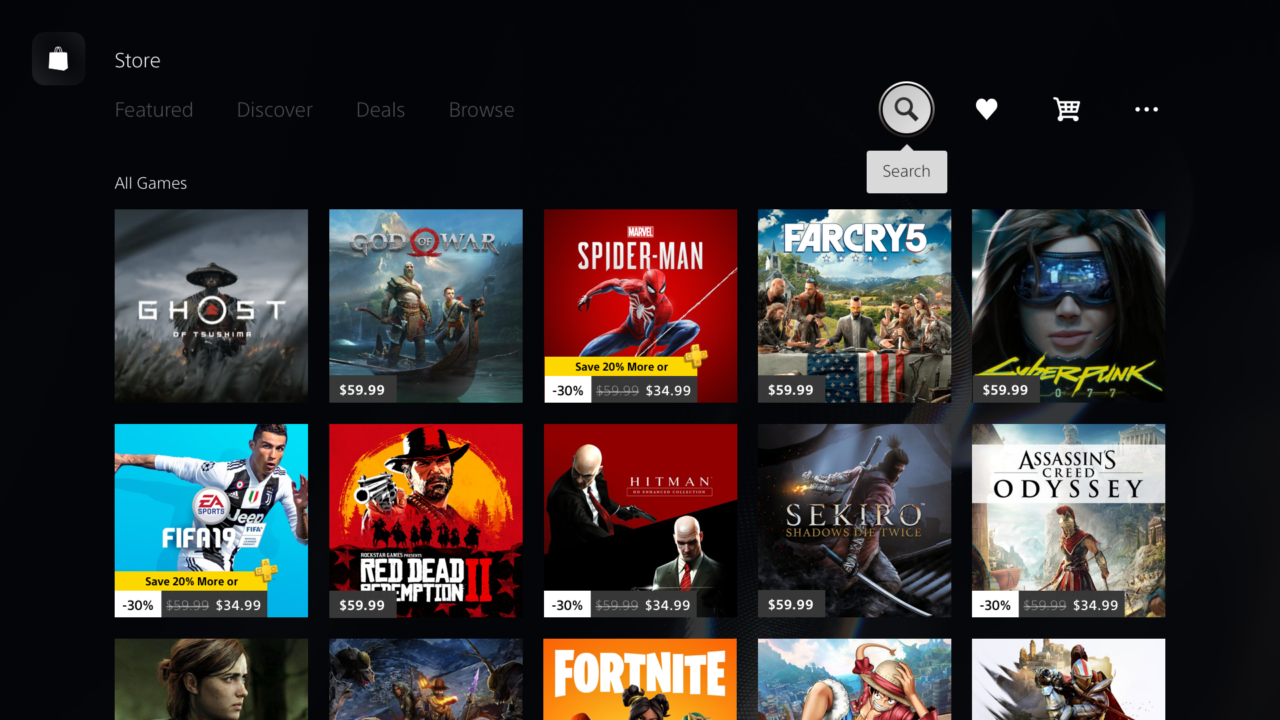
Provide users the best place to research, explore and get access to PlayStation game content with all the info players need to learn and make a purchase decision in confidence (social recs, user reviews, UGC videos..)
Commerce Anywhere ( Conversion)
Seamlessly buy from anywhere (on and off console) with intelligent personalized edition/service recommendations, gifting and wish-list options. Created a simple, fast and easy commerce checkout experience that can be accessed from anywhere.
Game Preparation ( Play)
Enable play from purchase with as little friction as possible (download, stream, storage management). Consistent product representation through unified smart CTAs and extended metadata.
Game Hubs ( Transition)
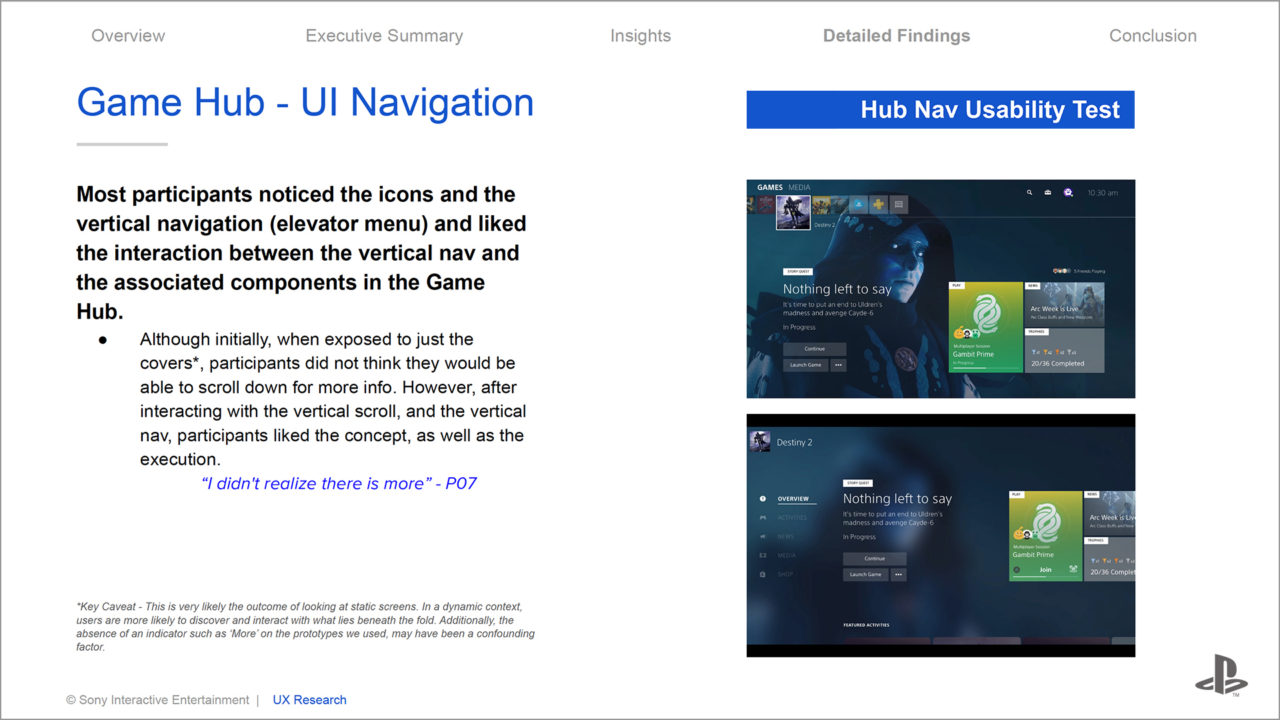
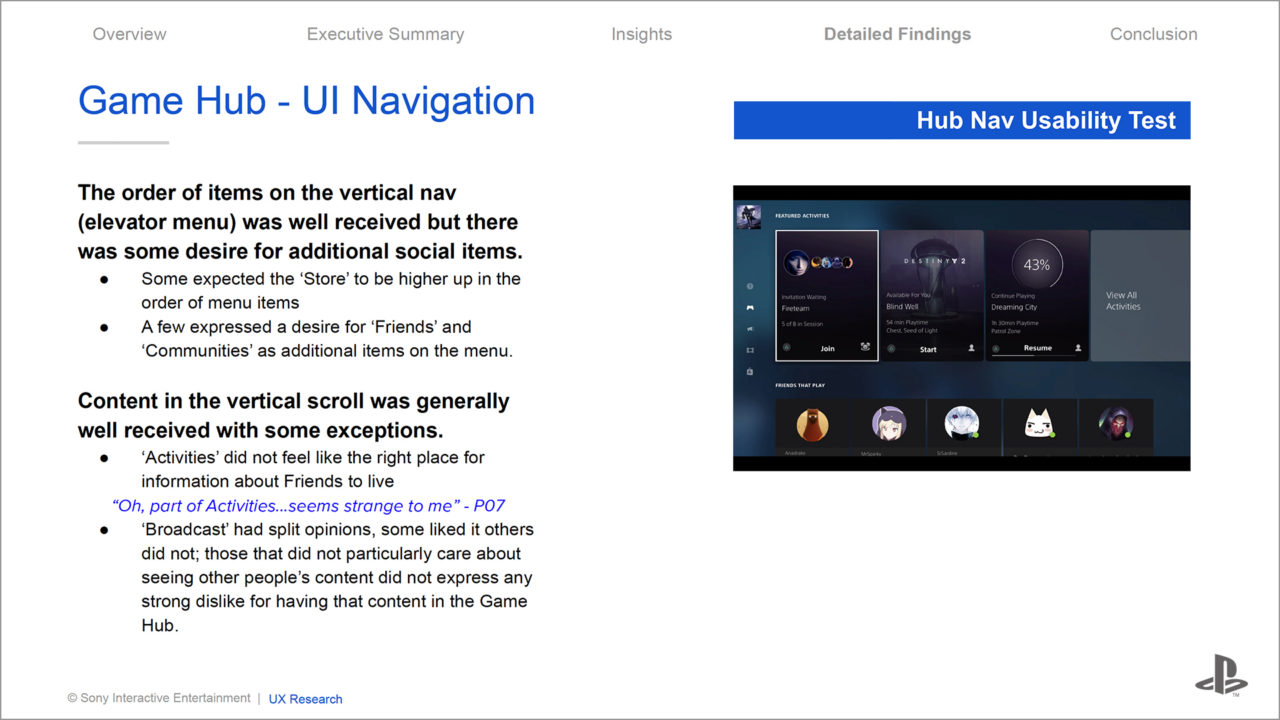
That proactively engages players and surfacing new play opportunities and content, social and system reengagement prompts. A single place to access all content and activities related to a game with content personalized based on purchase lifecycle, play type, and play level (focused on driving gaming engagement with Next-Best-Actions.
As the core PlayStation experience extends beyond the console to a multi-device landscape, we ensured the user experience between products and services feels fluid, frictionless, and connected.
The new version has been released and it is being tracked with analytics and other tracking tools and processes so PlayStation can select post-launch quantitative and qualitative data to improve its user experience.
My Role and participation in the PlayStation 5 user interface:
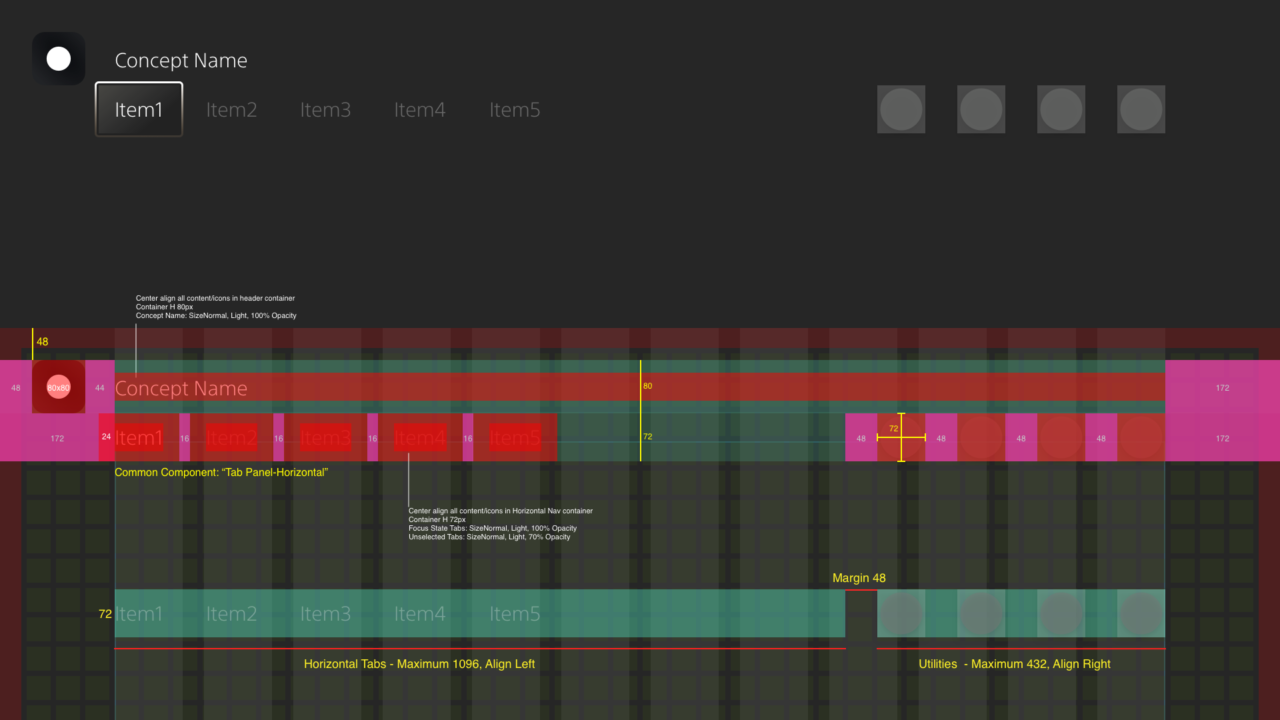
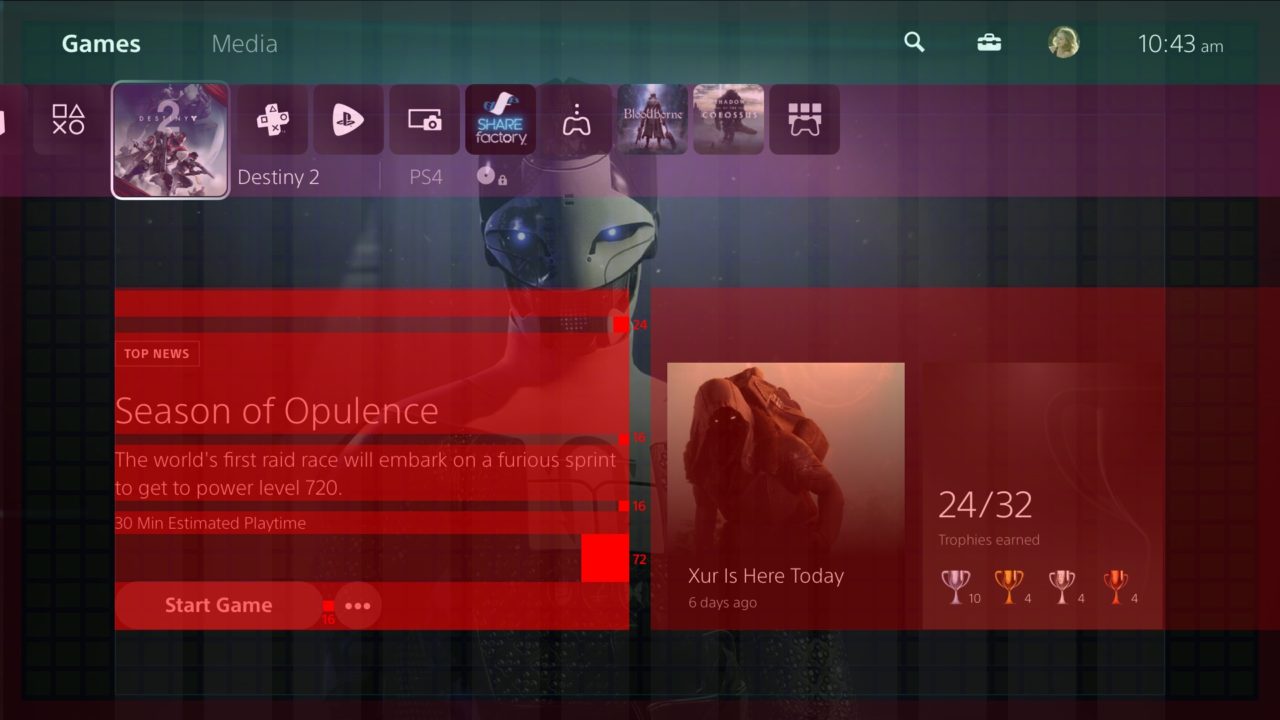
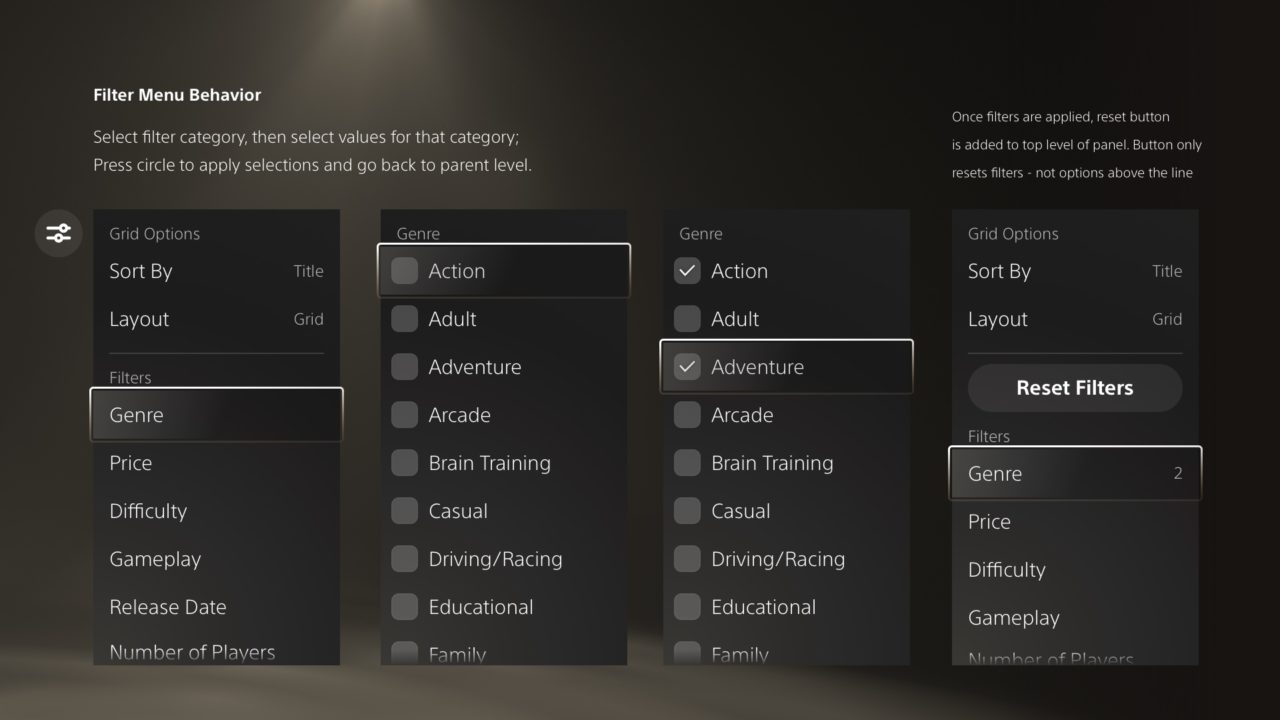
Visual Exploration, Detailed Design, Visual Component Audit, Visual Red Line Specs, Visual Execution, Design Handoff to engineer team.
After all, paths flows, details, and edge cases were put to the chosen direction from design leadership, product, UXR, and Interaction designers, my role was to take the IxD’s and the direction and start the visual exploration identifying unique needs and components that would need to be implemented throughout the application.
Create the visual style consistency and apply all the UI style guide principles and design system components guidelines and anything that had to do with the catalog content placement, assets, throughout the Hubs, ensuring that everything is aligned.
Deliver pixel-perfect specs and behavior definition documentation for screens or feature areas that show unique or common components. Support and update fellow designers and the engineering team during the version stages and the final execution of the visual designs.
Commerce Anywhere. Create a simple, fast and easy commerce checkout experience that can be accessed from anywhere.
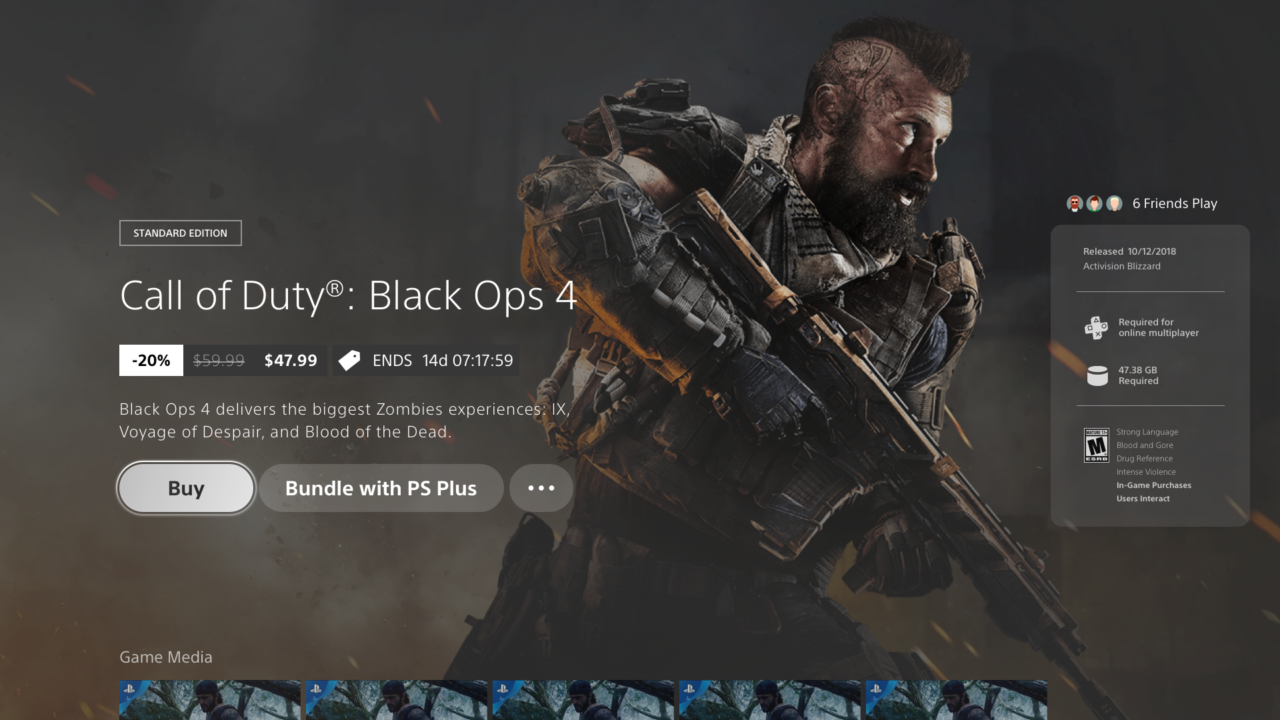
Pre-Purchase Game Hub entry point.Buy
Entry Points: Pre Purchase Game Hub, In-Game Commerce, Store - Product Tile, Control Center - Action Card, Service Hubs - PlayStation Now & Plus
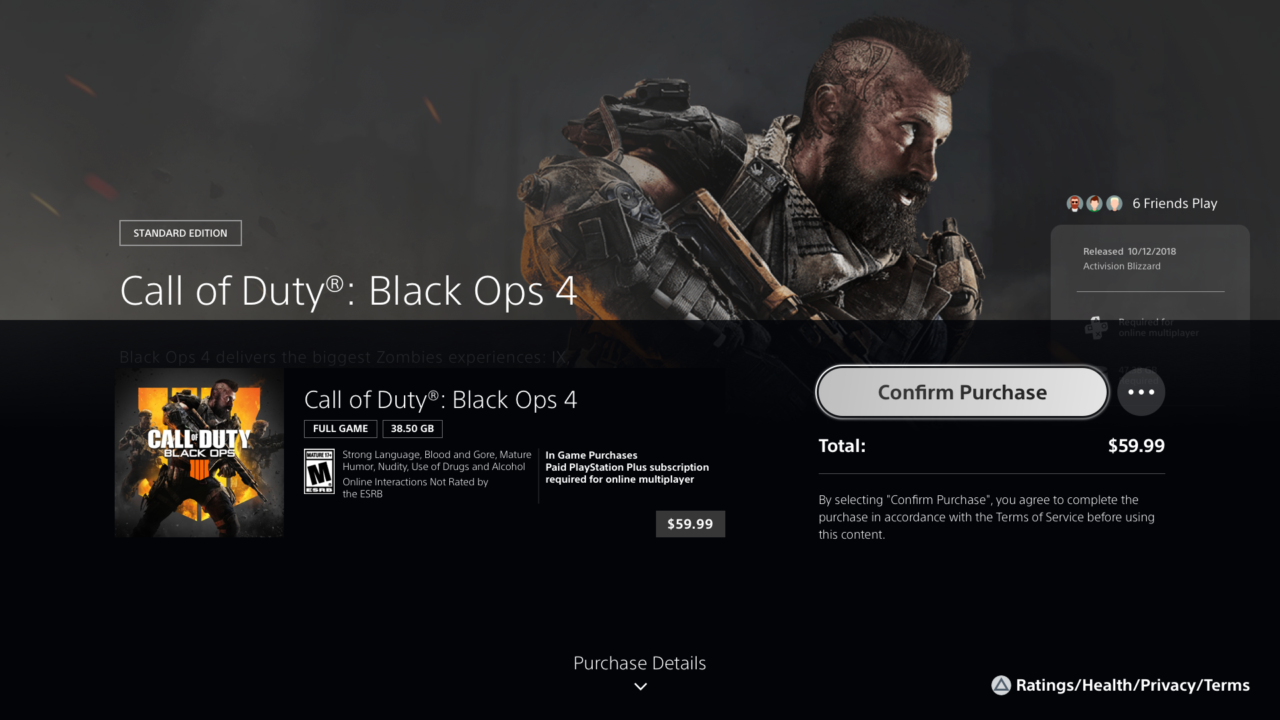
Single Item Purchase.Half panel.
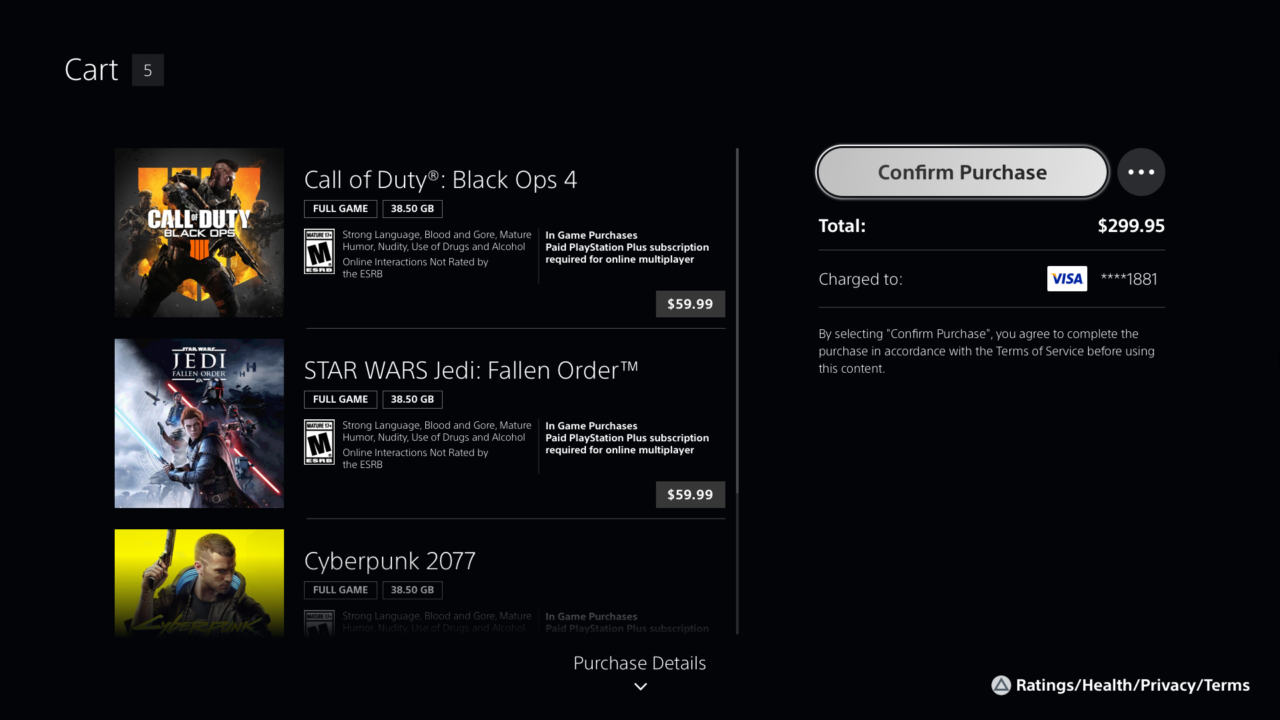
Confirm Purchase – Purchase Details – Multi-Item Purchases
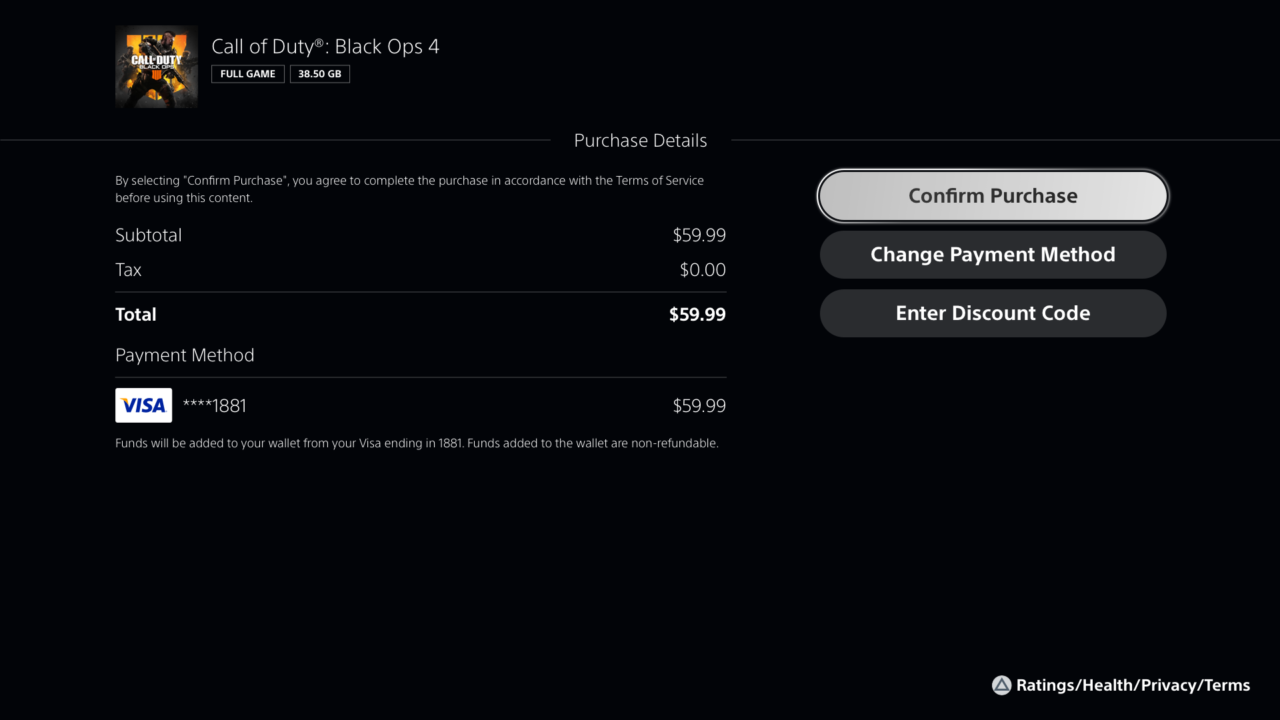
Confirm Purchase – Purchase Details – 1 Item
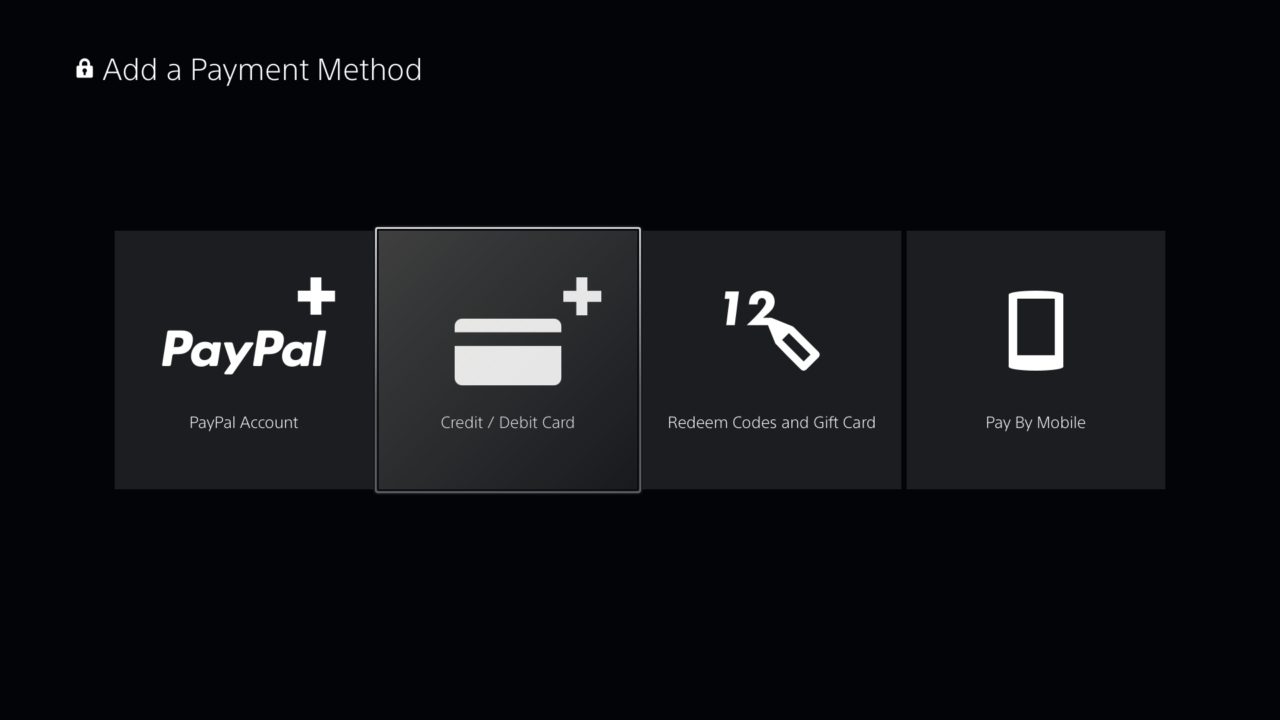
Add Payment Method – Credit Card – Checkout
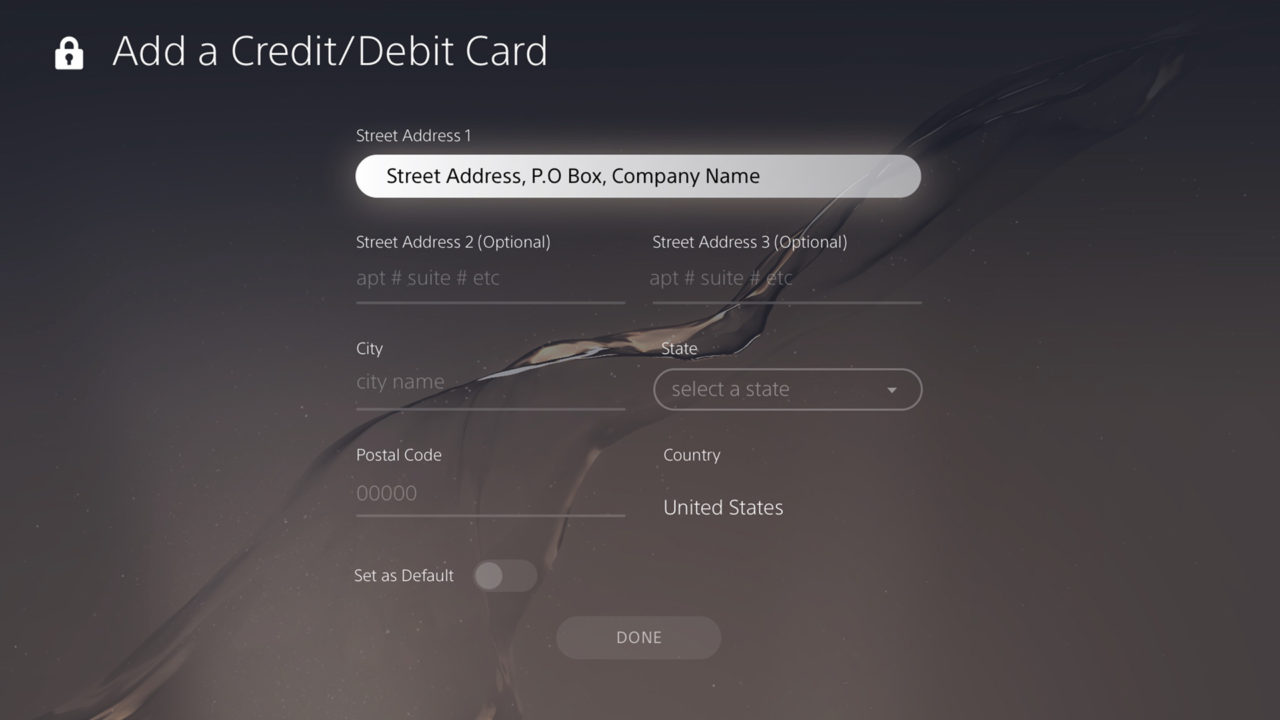
Add Payment Method – Credit Card Details – Checkout
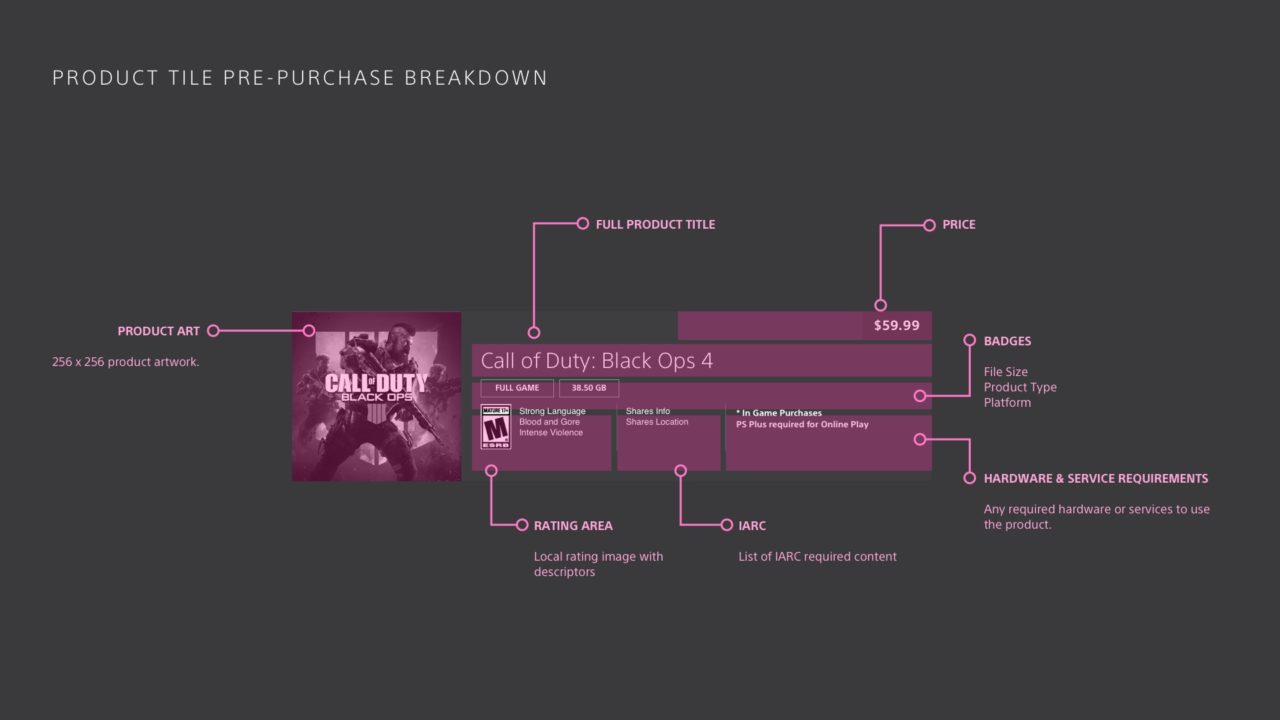
Product Tile Pre-Purchase component breakdown
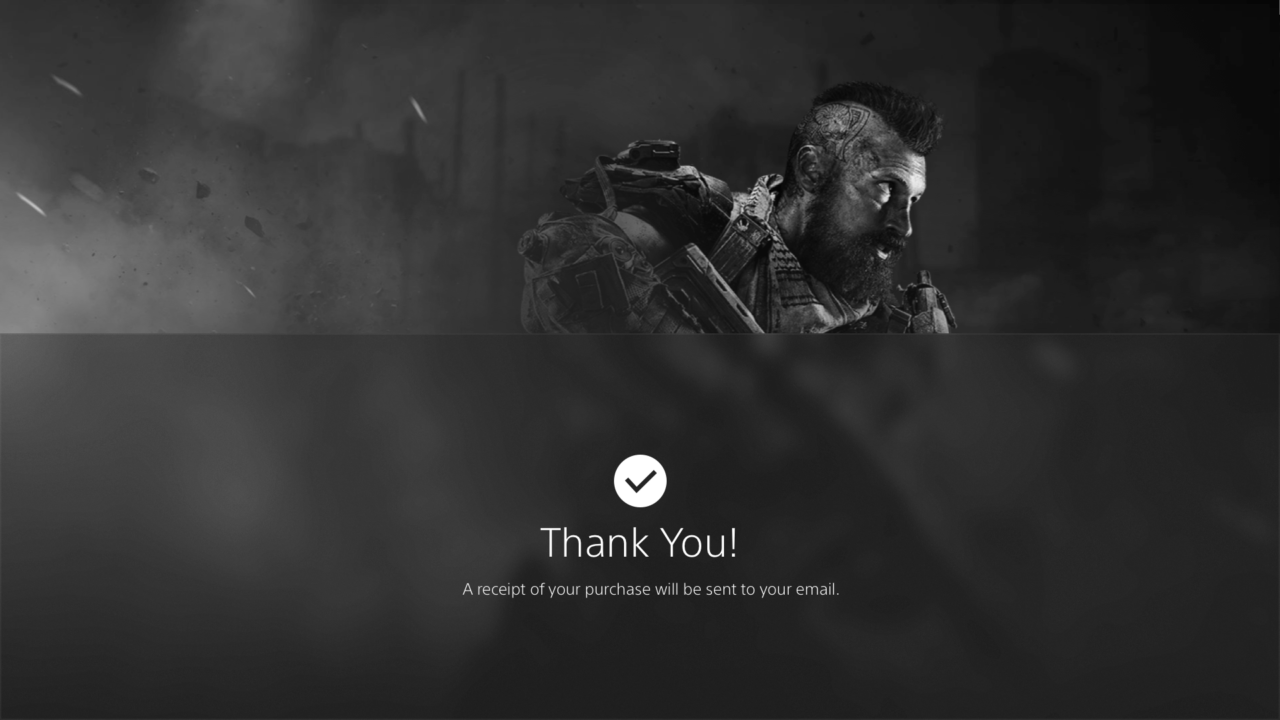
Thank You & Download Game | Continue Shopping
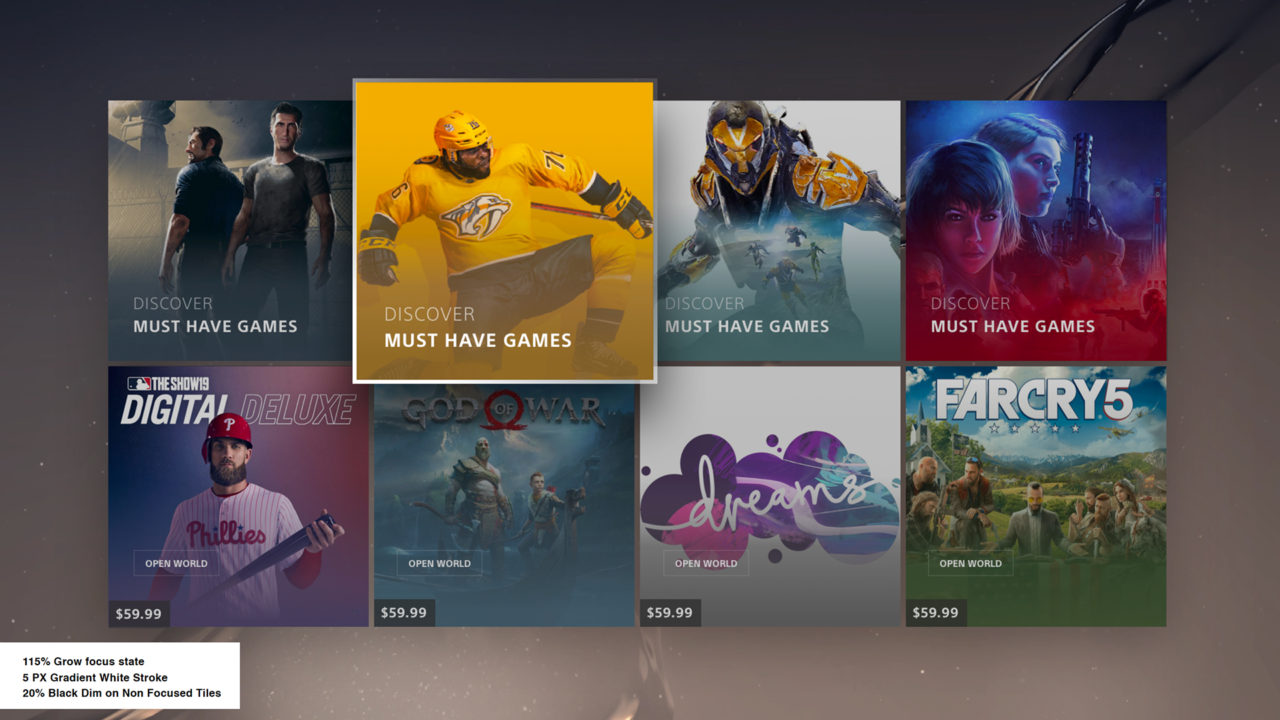
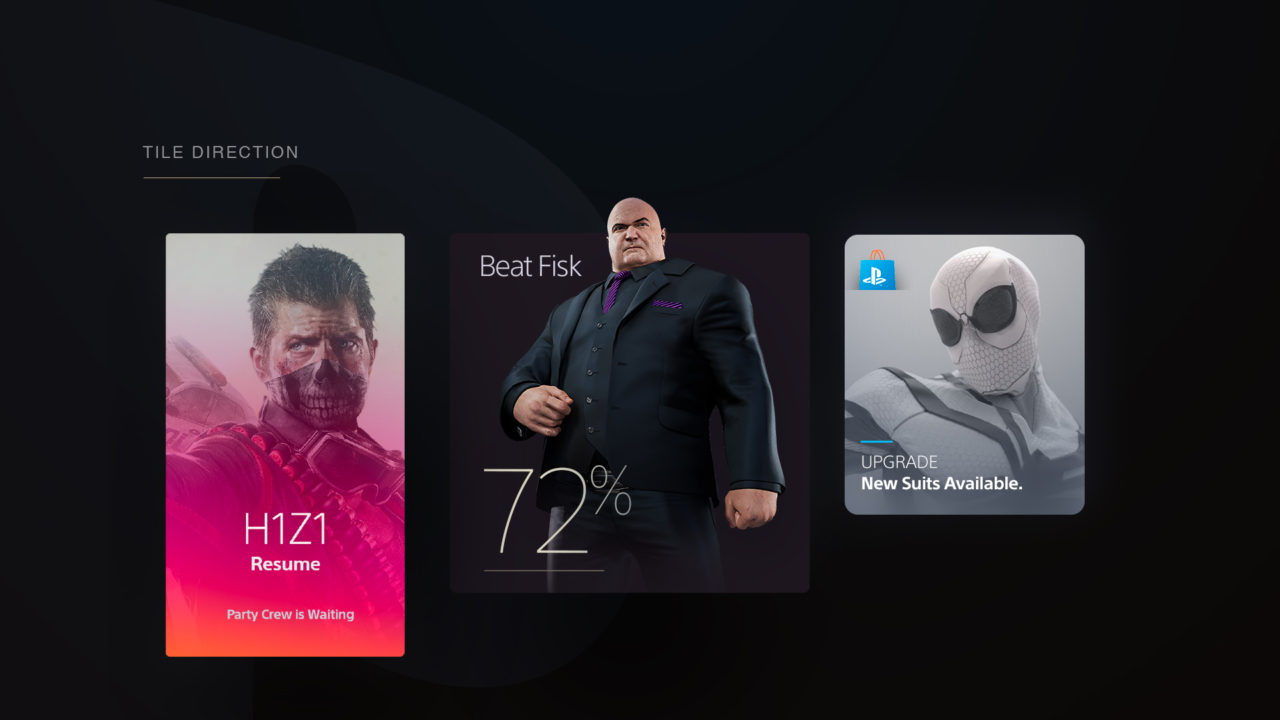
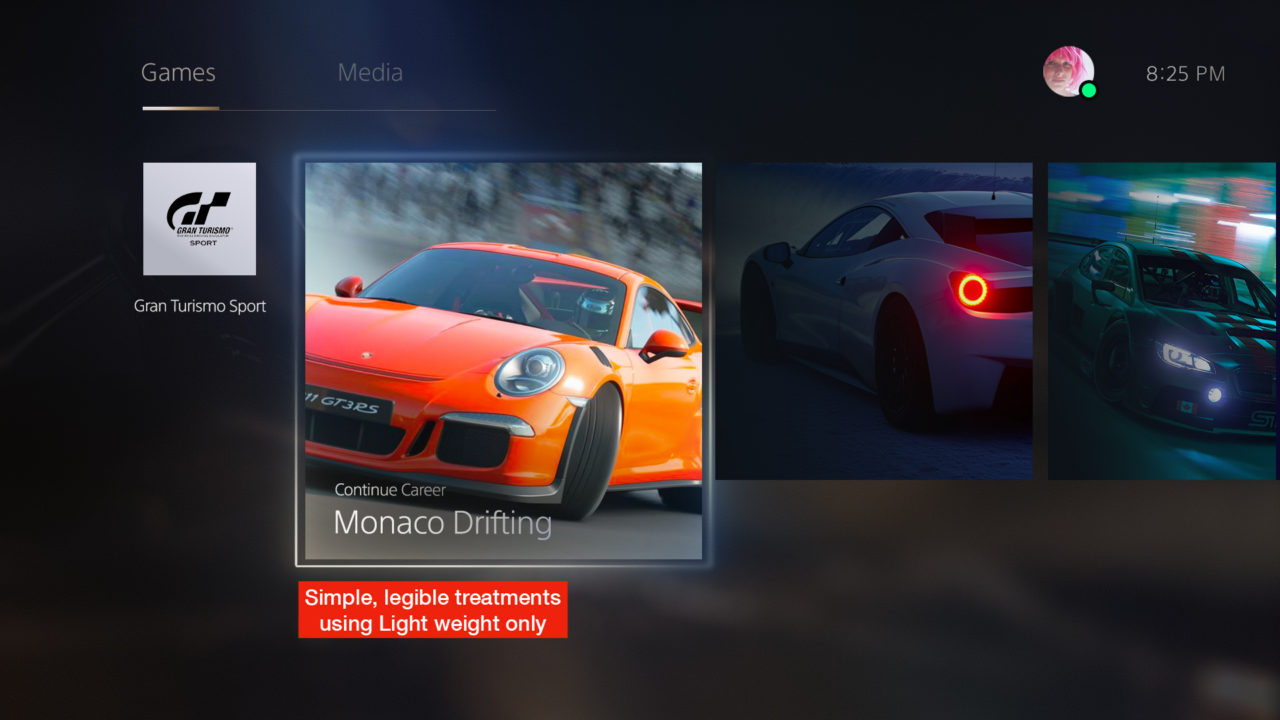
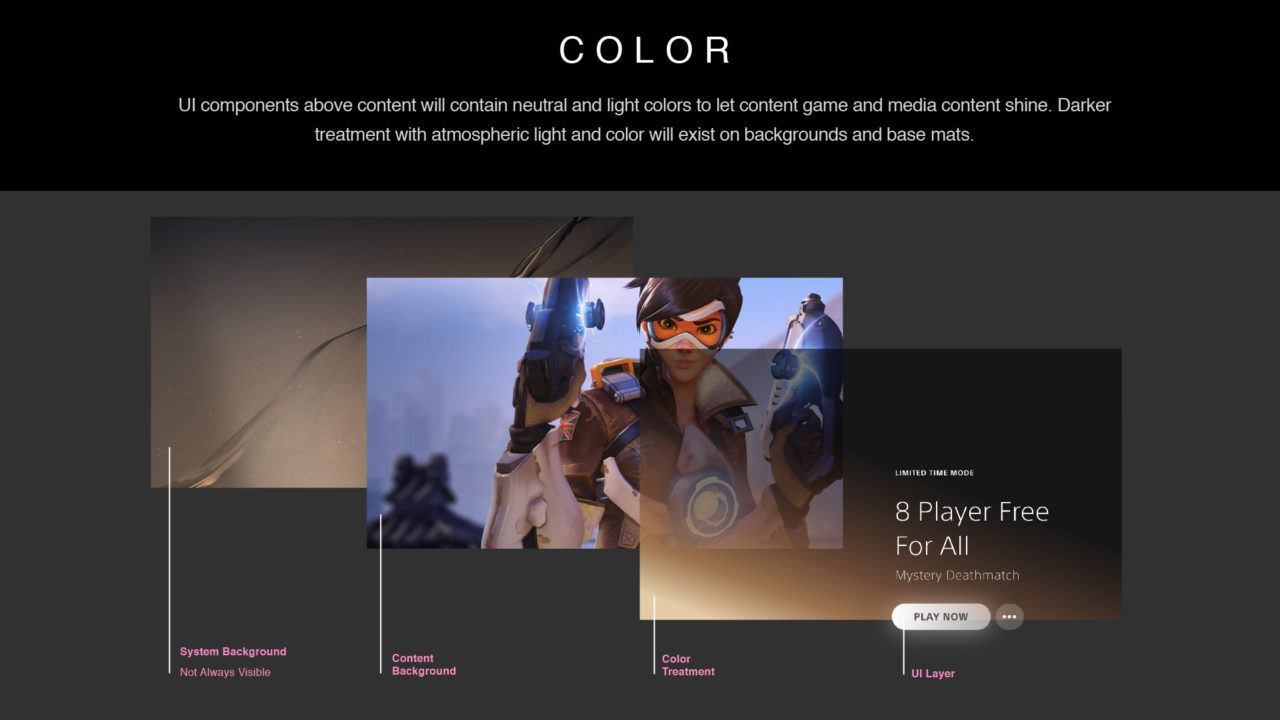
Visual Language – Our ownable style with supporting elements that come together to deliver a system of communication and a frictionless experience that aligns back to our brand promise.
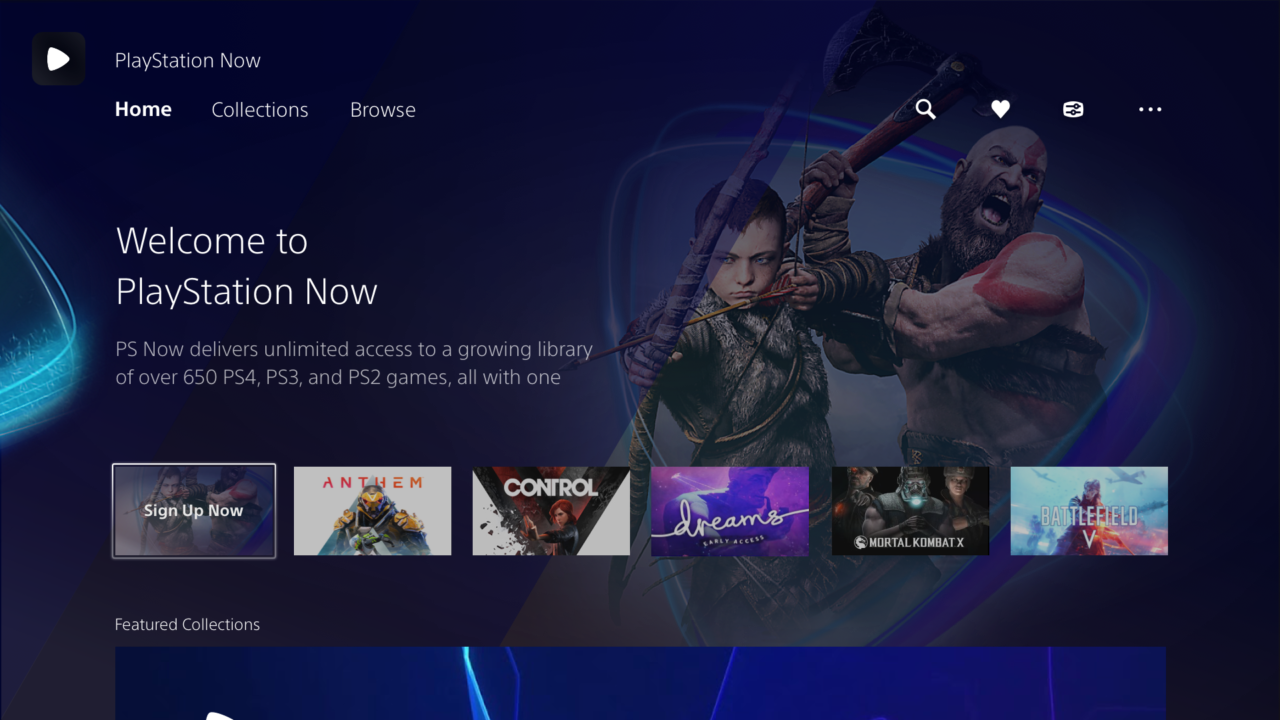
PlayStation Now Pre-Purchase Hub lightBox template implemented with peaking title & editorial strand
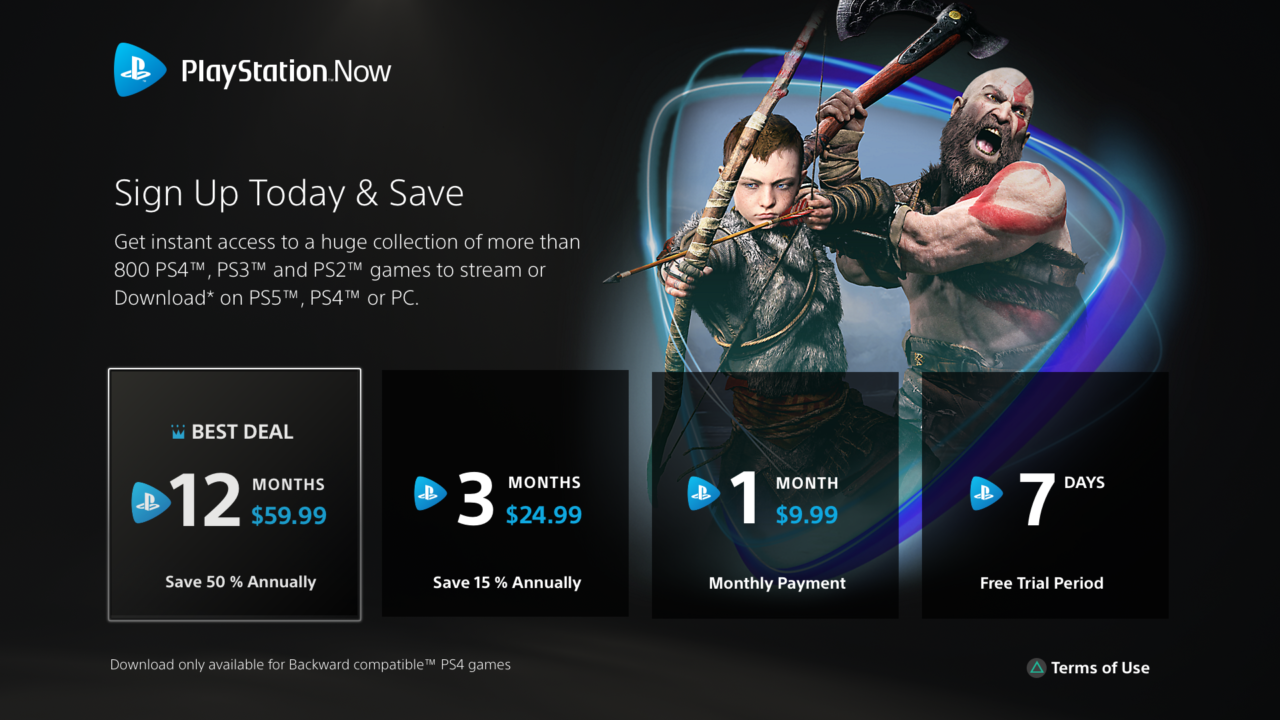
PlayStation Now Upsell proposal tile focus