PlayStation App
Introducing the new PlayStation App, redesigned to enhance the gaming experiences on PS4 and PS5. Updated PS App includes new UI layout, integrated messages feature, support for voice chat, and more. We’re introducing new ways to amplify your connections with friends and the games you love to play even when you’re away from your console. We’re pleased to unveil the updated PlayStation App, reimagined to enhance your gaming experiences on both PS4 and PS5. The app has rolled out for iOS and Android devices. Below is a list of the key features for PS App.
Services
INTERACTION DESIGN
VISUAL DESIGN
DESIGN SYSTEM COMPONENTS
MICRO INTERACTIONS
Role: SENIOR VISUAL DESIGNER
Agency: Sony Interactive Entertainment Inc
Year: 2019-2020
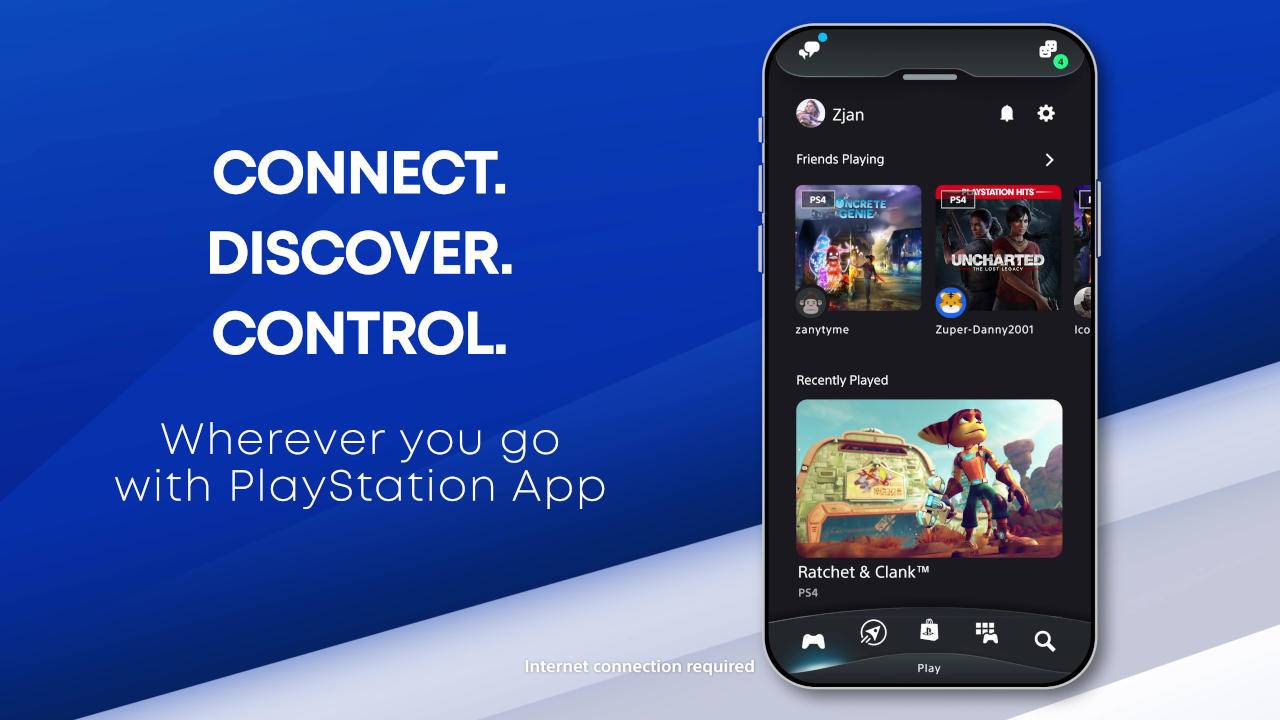
Problem – How do we create compelling new daily habits for players, that capture their attention, stoke their excitement about play and gaming culture, and keep them coming back? Bring players to gaming, by exposing play opportunities in their daily life, and removing barriers to play.
- How do we increase adoption, engagement, satisfaction, gameplay?
- How do we create a consistent universal look and feel with the console?
- Survey question asked to user participants in our research process: Question: Right now, the PS App and PS Messages are separate mobile apps. Do you prefer to have them as separate apps, or combine them into one app?
- 80% of surveyed users said they prefer PS App and PS Messages to be combined into one app.
Challenge – Provide a delightful console companion experience on mobile that engages our players, removes barriers to play, eliminates multiple apps, and drives store traffic and gameplay to a new level.
One hero app that will replace the PS App, PS Messages, and PS Communities and be the foundation of our future mobile experience. With a focused feature set supporting key objectives designed around core user needs and tasks on mobile.
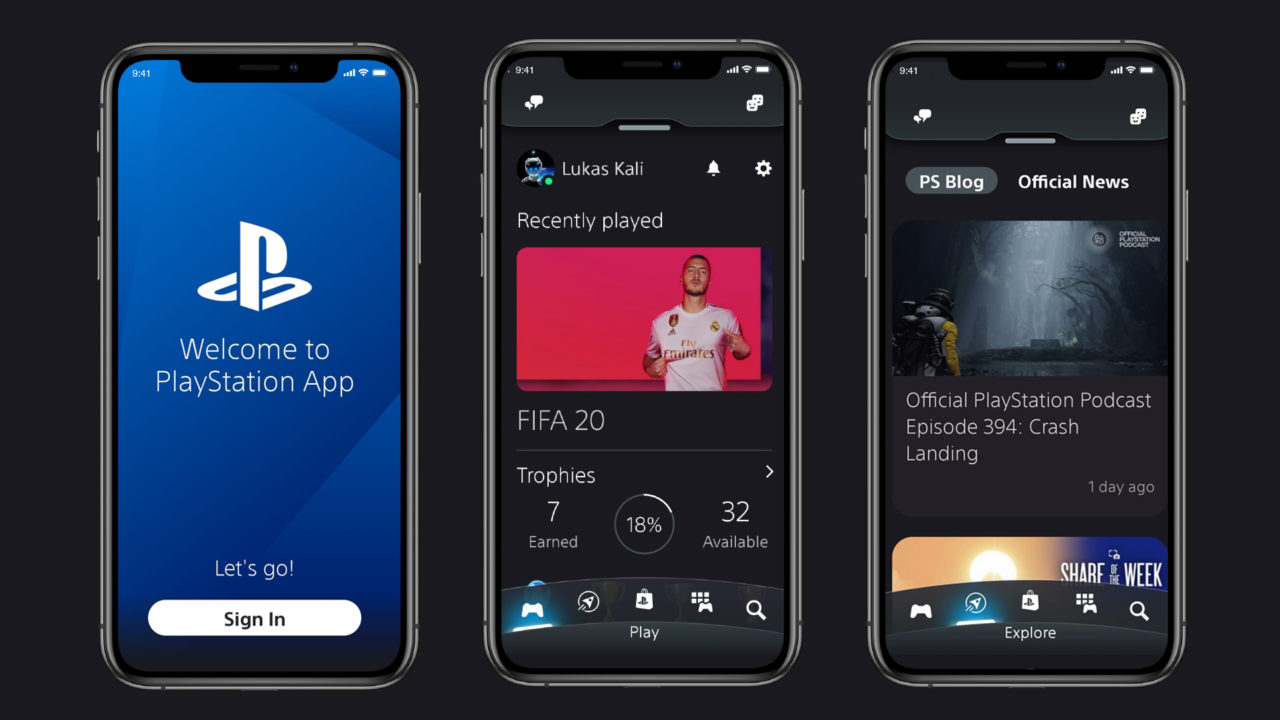
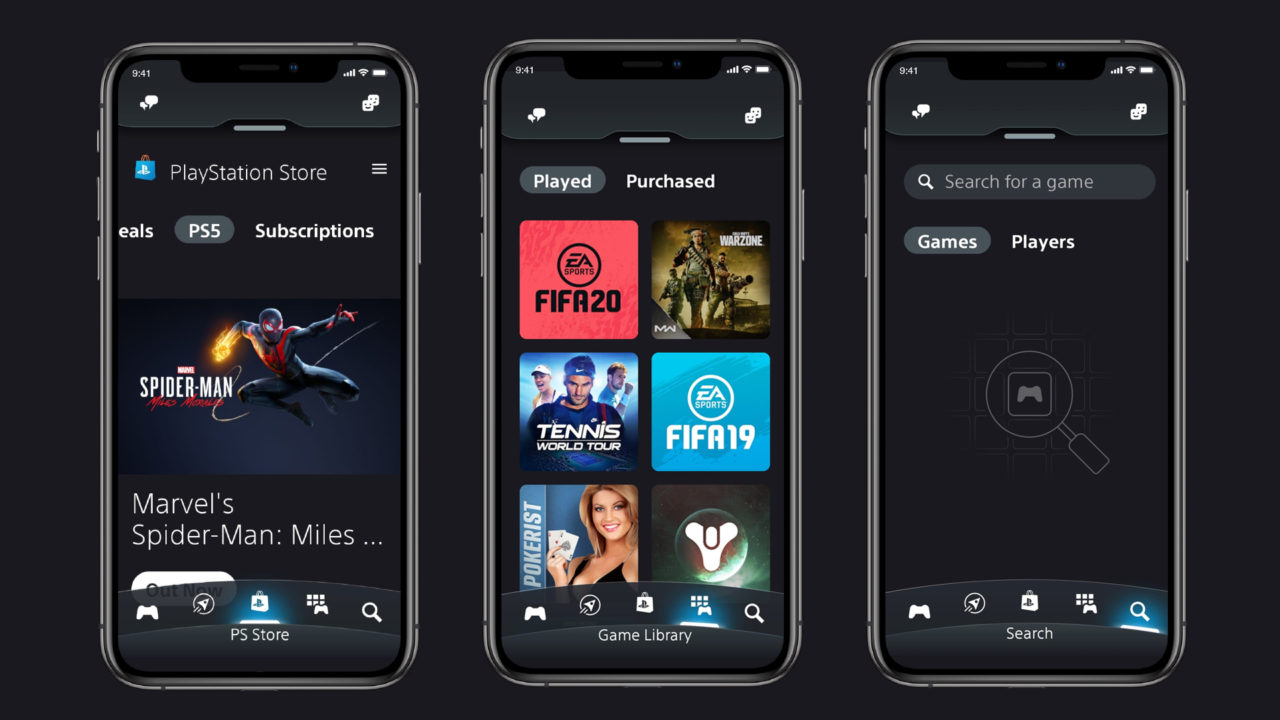
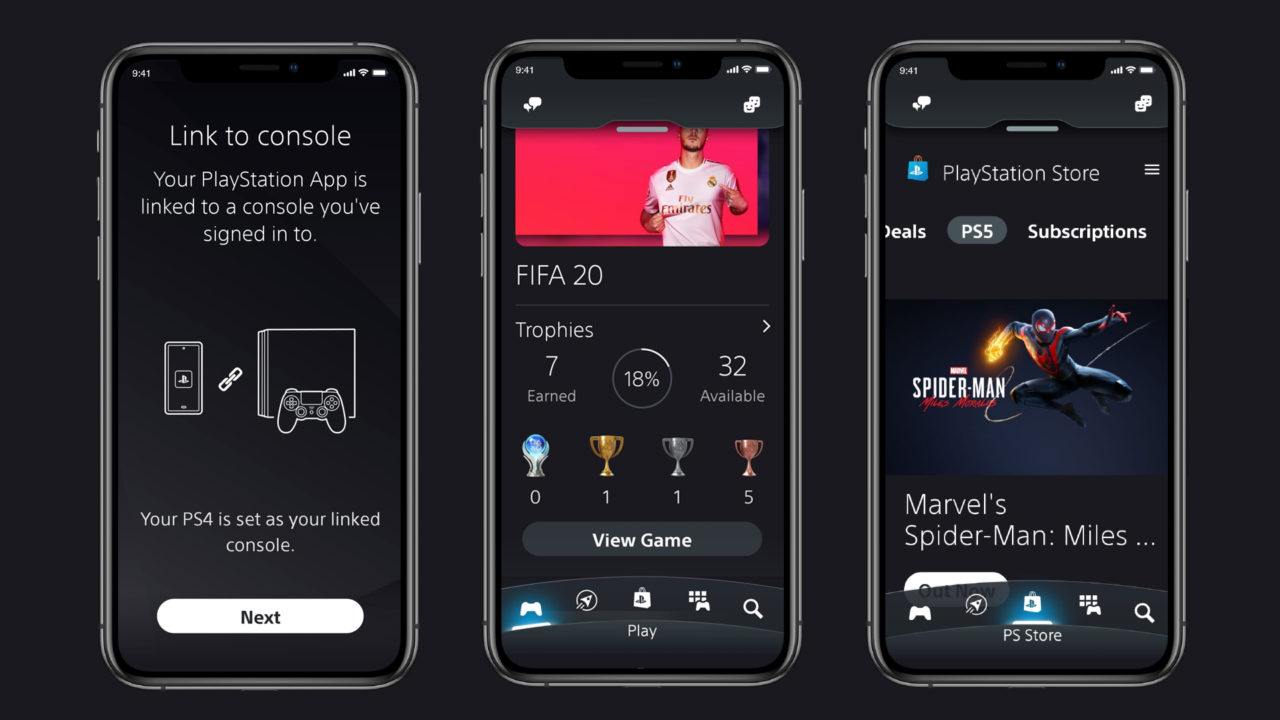
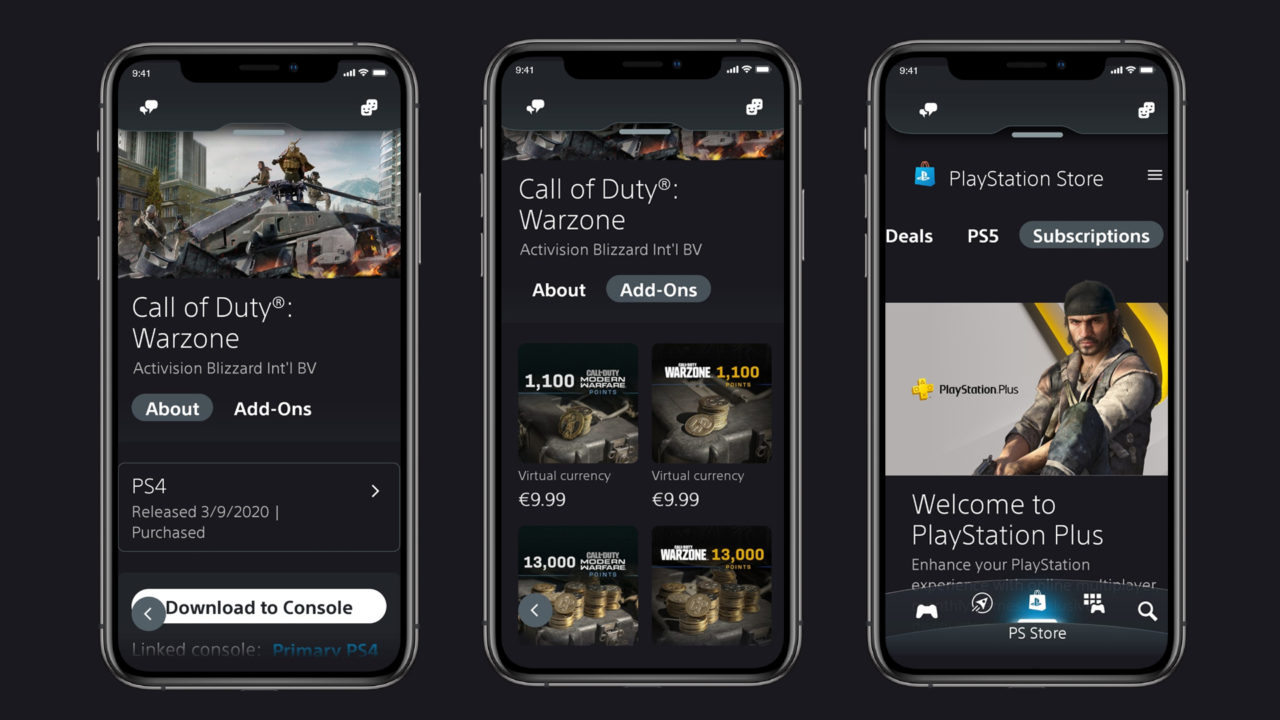
The Solution for the PlayStation App
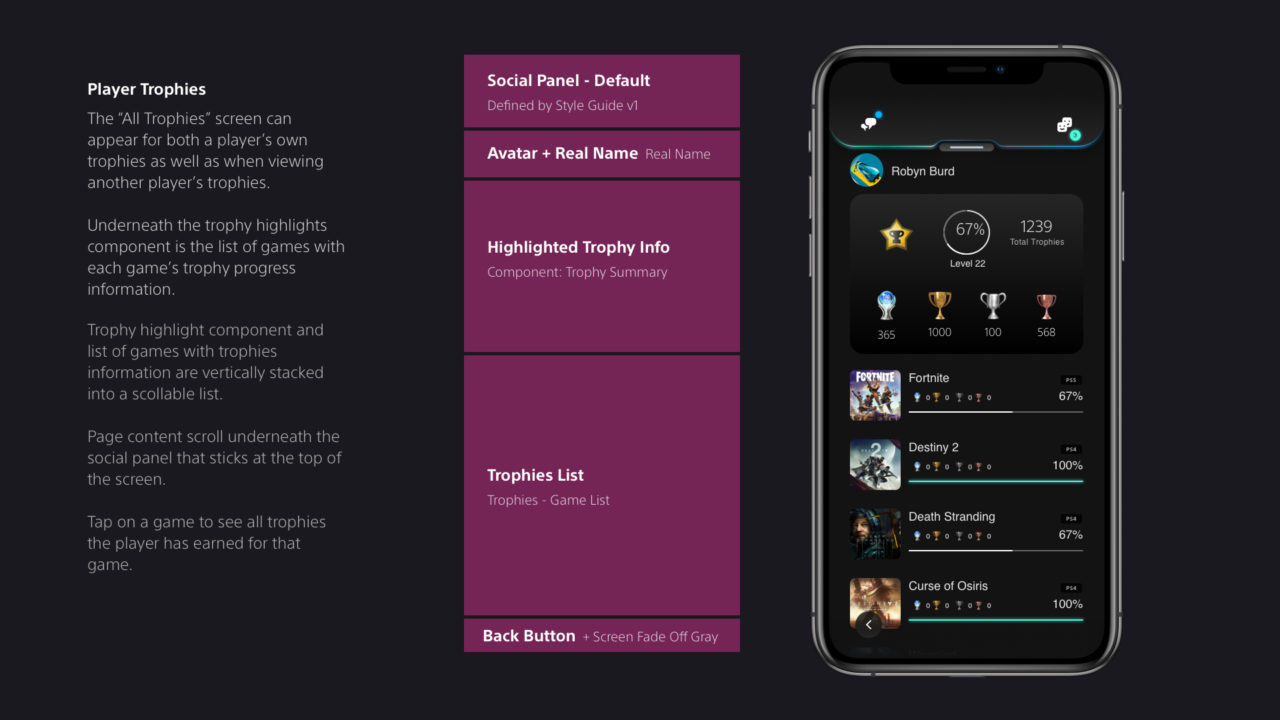
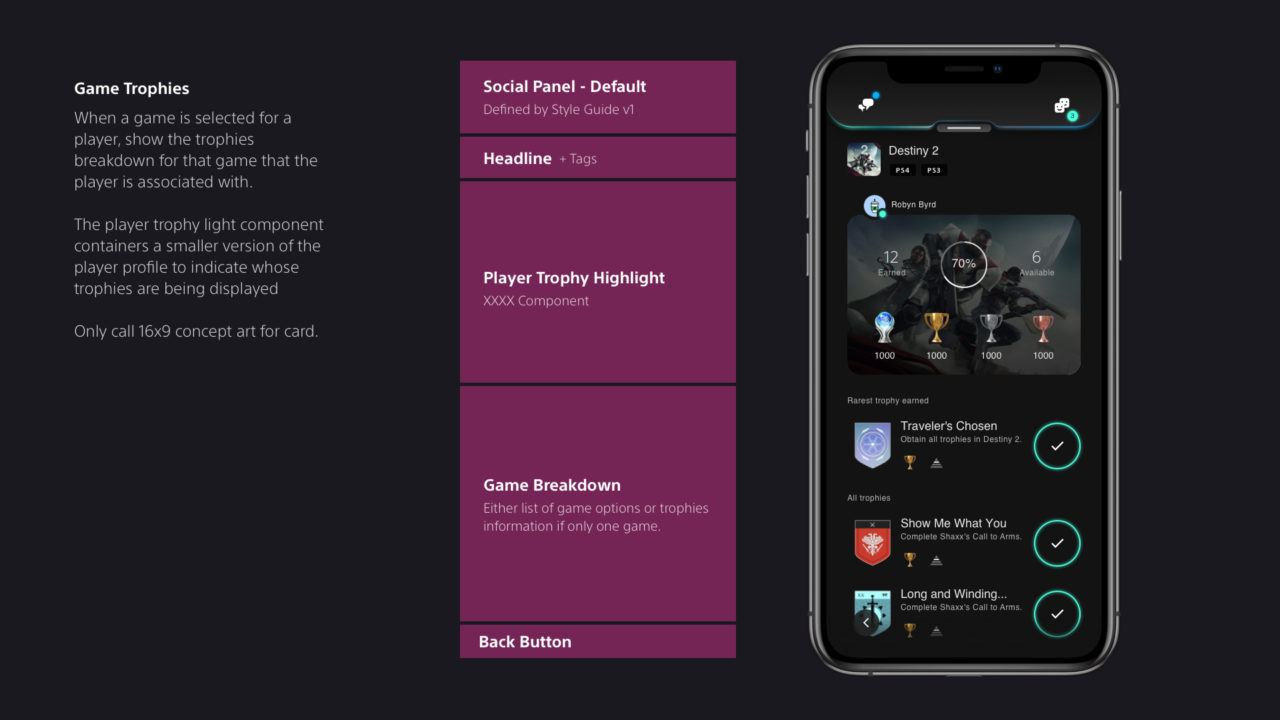
- Updated user interface – The first thing you’ll notice is the sleek new user interface of the redesigned PS App. The new home screen lets you quickly see what your friends are playing and access details about your recently played games, including your Trophy List.
- Messages integration – For a unified experience, the PS Messages app feature will now be integrated in the updated PS App so you can seamlessly message your friends all in one place. As part of this integration, PS Messages will no longer be available as a standalone app. Your existing messages and threads in PS Messages will be carried over to the updated PS App.
- Voice Chat and Party Groups – You can now create party groups from PS App, and voice chat with up to 15 other friends though your mobile phone. Also, a note to fans: the PlayStation team is looking into your feedback around the Parties changes introduced in the PS4 system software update 8.00. There are no updates to share today, but thanks for speaking up about your concerns – we’re listening and evaluating.
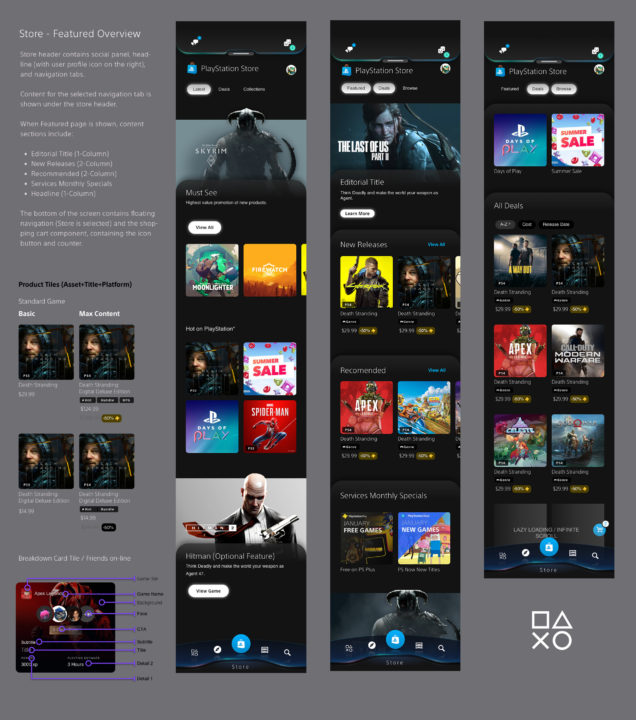
- Natively integrated PlayStation Store and remote downloads – The new native PS Store experience enables fast and smooth shopping and browsing, with the ability to remotely download games and add-ons directly to your PS4 and PS5.
- New features for PS5 – When PS5 arrives, you’ll be able to remotely launch games, manage storage on your console if you run out of space while downloading a game, and quickly sign in to PS5 straight from the PS App.
- All the latest PlayStation news – The Explore tab surfaces Official News from game developers and PS Blog content to help you stay up to date with the world of PlayStation.
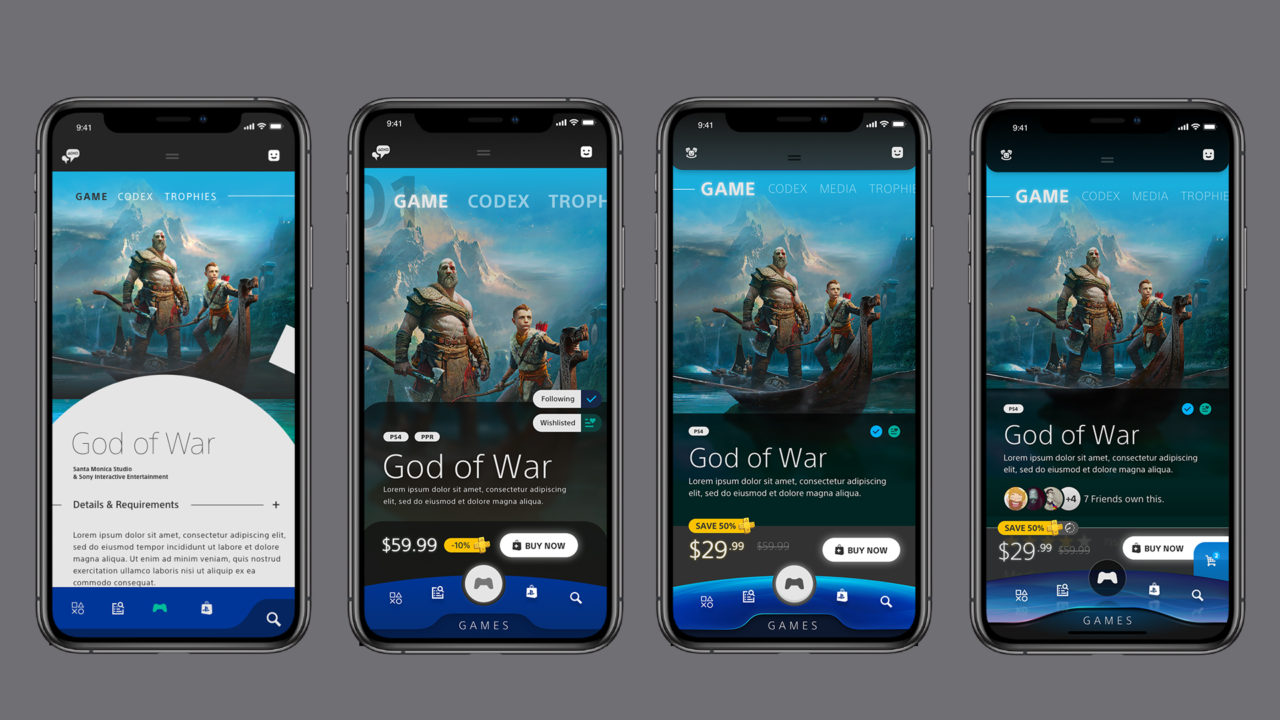
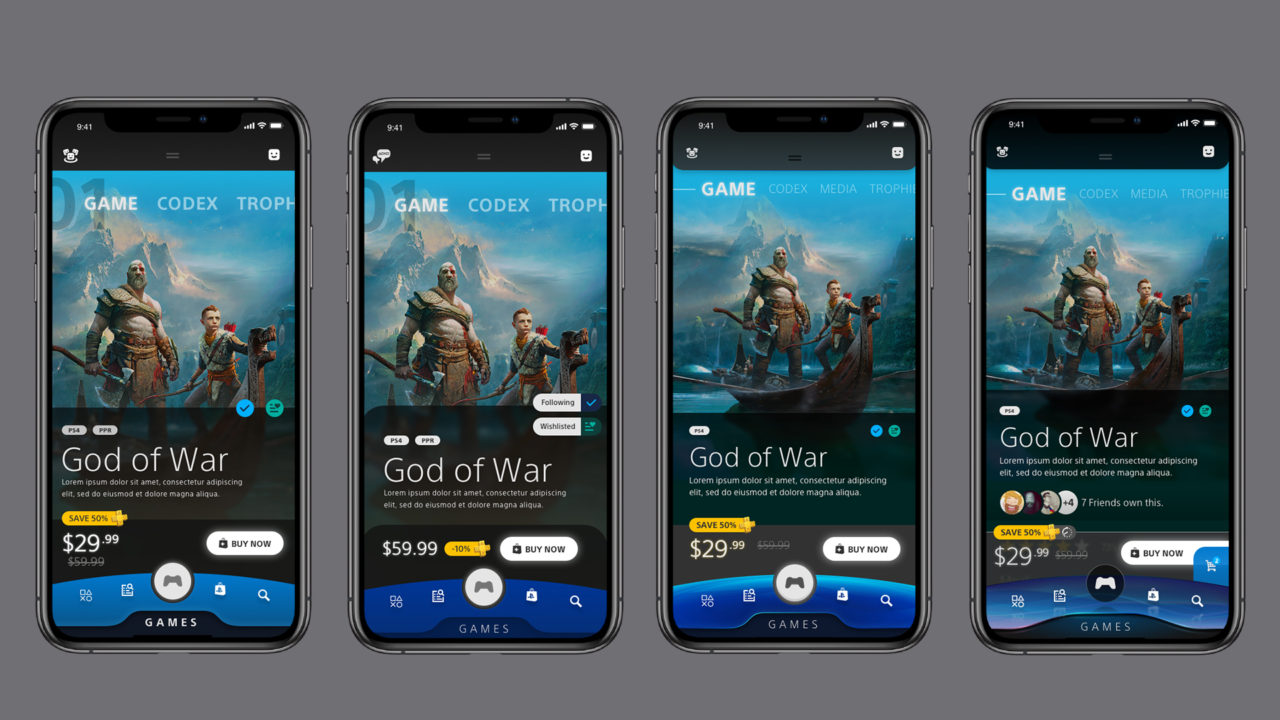
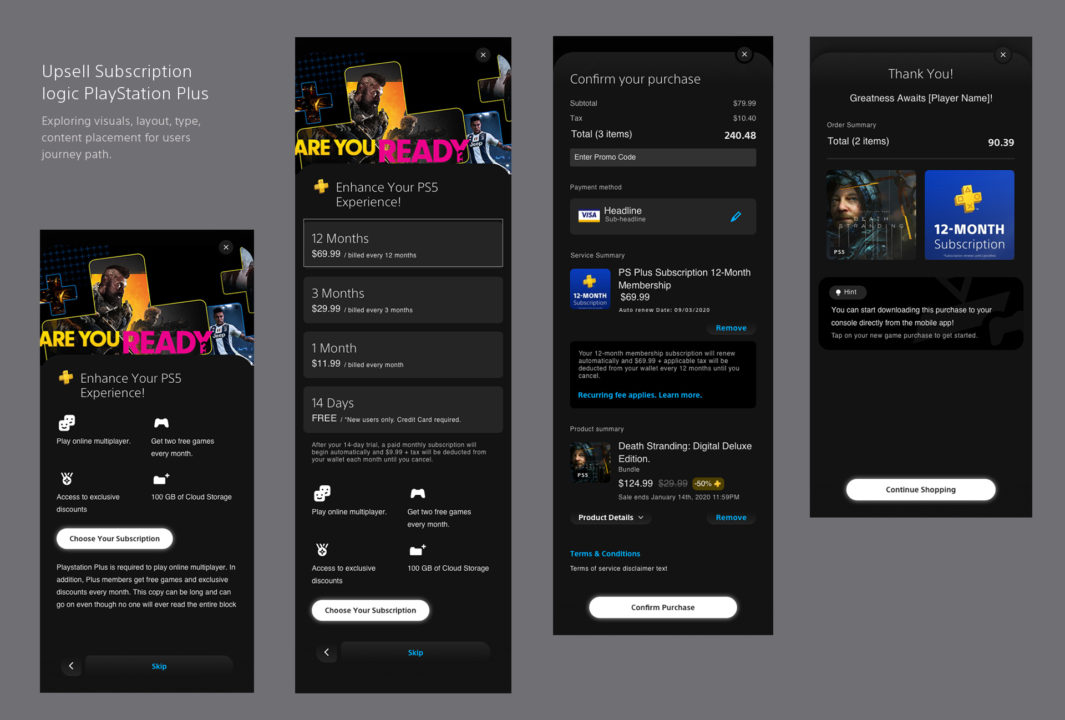
Below are bits and pieces from the new redesigned mobile app exploration phase. Exploring color theming, navigation, wireframing, components, and interactive building blocks for the UI. Components implemented bottom app bar, backdrops, buttons, cards, bottom sheets chips, dialogs, dividers, navigation drawer, image lists, text fields, menus.